
Customizable cable organizer
Stephen Bianchi

Найти похожую с ИИ


Профиль печати(0)
Файл модели(0)
 0
0 0
0 0
0
Опубликовано:2025-01-14 15:34:28
0
0
 000
000Tired of messy cables and looking for a solution? Look no further!
This customizable cable organizer can be adapted to almost any cable with just a simple measurement.
With this cable organizer, you can ensure that your cables are always neatly organized and stored.
All my cables used to be tangled together, which could have been a real mess. So I thought that a 3D printer could provide me with a solution. From then on, I came up with this design, and I'm very satisfied with it.
I also made a simple stand, which should be able to hold the cable organizer.
Note:To make your own cable organizer, you need Fusion360.
Fusion360 is available for free on Autodesk.com
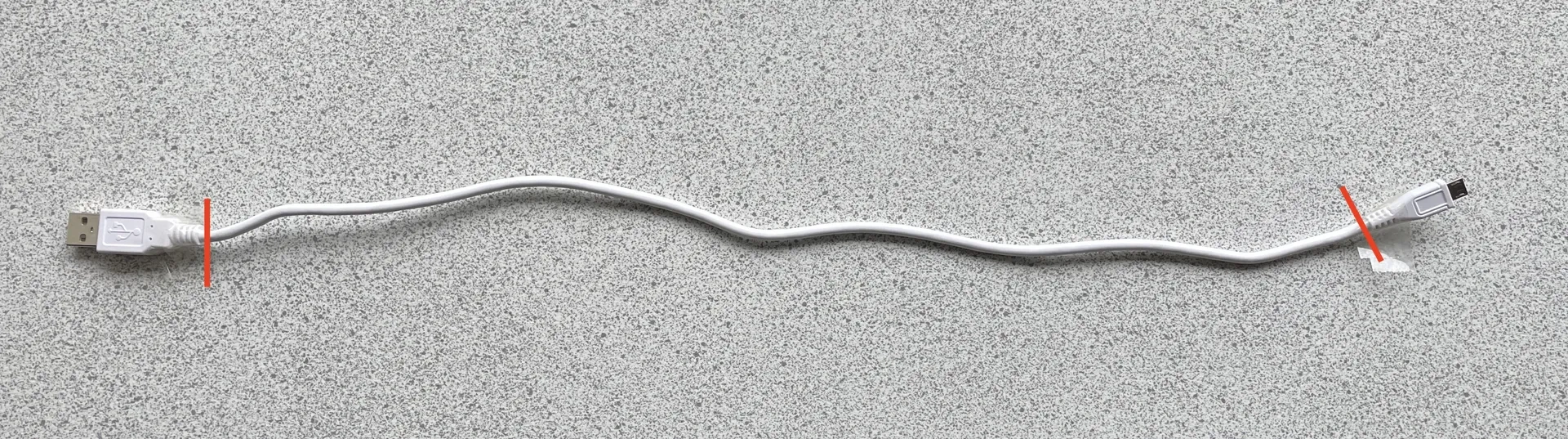
Since almost all cables are different, you need to take some measurements of the cables.
You need to measure the following:
After obtaining the cable thickness and cable length, you need to open the uploaded Fusion 360 file and select "Modify" → "Change Parameters" in the top menu. A new window containing the parameters should now pop up, where you can enter the required cable length and thickness
If you can't access your Fusion 360 account or don't know how to use Fusion 360, please feel free to contact me at any time.
From then on, you can choose the number of layers you need for the model, but there are some limitations:
File: CustomizableCableOrganizer.f3d
1 layer = minimum cable length of 178 mm
2 layers = minimum cable length of 375 mm
3 layers = the minimum cable length of 572 millimeters
4 layers = minimum cable length of 769 millimeters
5 layers = minimum cable length of 966 millimeters
File: Longer_CustomizableCableOrganizer.f3d
7 layers = minimum cable length of 1360 millimeters
10 layers = minimum cable length of 1951 millimeters
12 layers = minimum cable length of 2345 millimeters
15 layers = minimum cable length of 2936 millimeters
17 layers = minimum cable length 3330 mm
20 floors = minimum cable length of 3921 millimeters
22 layers = minimum cable length of 4315 millimeters
25 floors = minimum cable length of 4906 millimeters
27 floors = minimum cable length of 5,300 millimeters
30 floors = minimum cable length of 5891 millimeters
If you have any questions about this process, please feel free to contact me at any time.
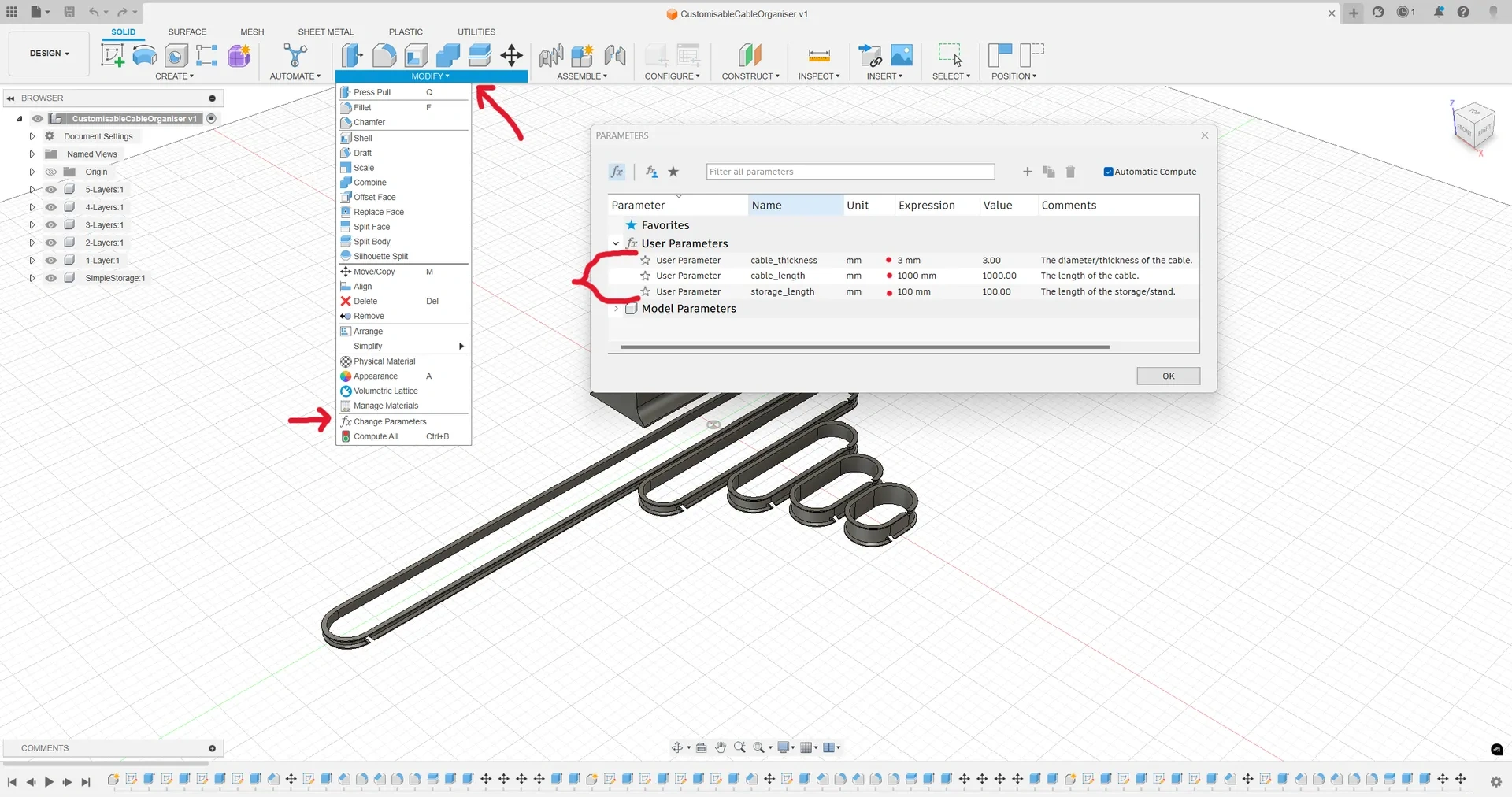
If you want to use a simple stand, you need to know how long you want the stand to be. This is likely the thickness of all the cable organizers you want to put in the stand.
Therefore, you need to measure the thickness of the organizer you want to store and enter that value just like you did for the cable organizer: Fusion360 → Modify → Change parameters.
I uploaded four files.
Please feel free to post your works, give likes and comments, or ask any questions you might have :D
----
Updated on July 11, 2024
A new .stl file has been added. It should be compatible with the original Apple 1-meter USB-C to USB-C cable.
Updated on October 3, 2024
Bugs were found in both the standard and extended versions of the customizable cable organizer, which caused Fusion360 to corrupt the model.
The error has been fixed, and a new test file has been uploaded.
