Tired to be enslaved by battery caring ? For the Prusa Enclosure, No more.
It's time to upgrade the Thermometer to wiring it to the 24V power supply of the printer.
For this upgrade, you need :
- 2x M3x18 screws (M3x16 and M3X14 might also work)
- 1x DC/DC buck converter
- 2x 100 Ohms resistor
- 150cm of black & red wires (20AWG or 22AWG | 0.5 to 0.34 mm2)
- The new back plate printing part for the thermometer
The wires need to be long enough to be able to go from the thermometer to the printer or the PSU.
For the tools, you will need :
- A 24V power supply
- A multimeter
- A soldering station
- Solder the 150cm of wires to the inputs of the DC/DC Buck converter
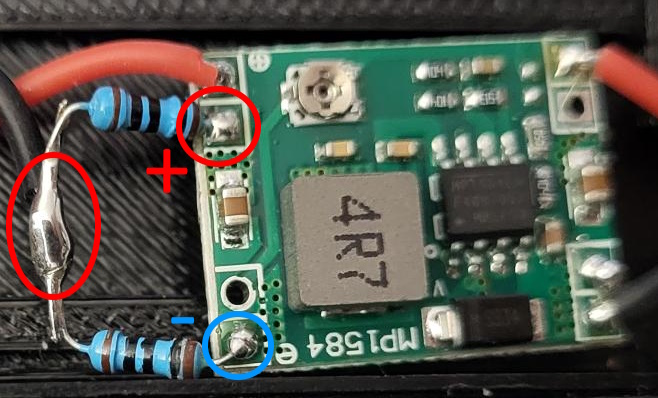
- Solder the two resistor together on the output of the DC/DC buck converter (like on the photo)
- Solder a short red wire on the output (+)
- Solder a short black wire between both resistor (See photo)
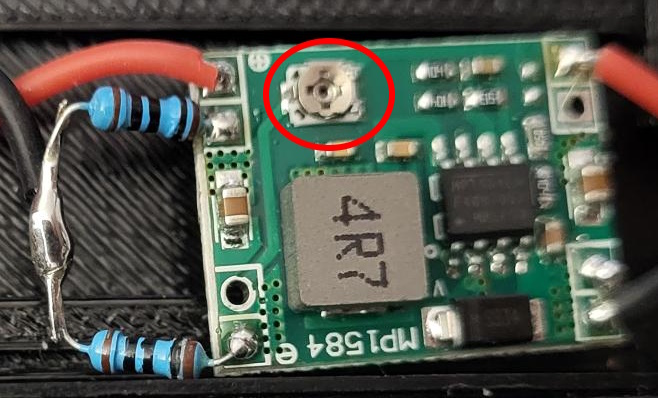
Setting the buck converter to 3V :
- Connect the buck converter to the 24V power supply
- Using a screwdriver and the multimeter in VDC, set the buck converter to get 3V in the output (Between + and - )
- If the buck converter is correctly set, you should get 1.5V between the output red & black wires
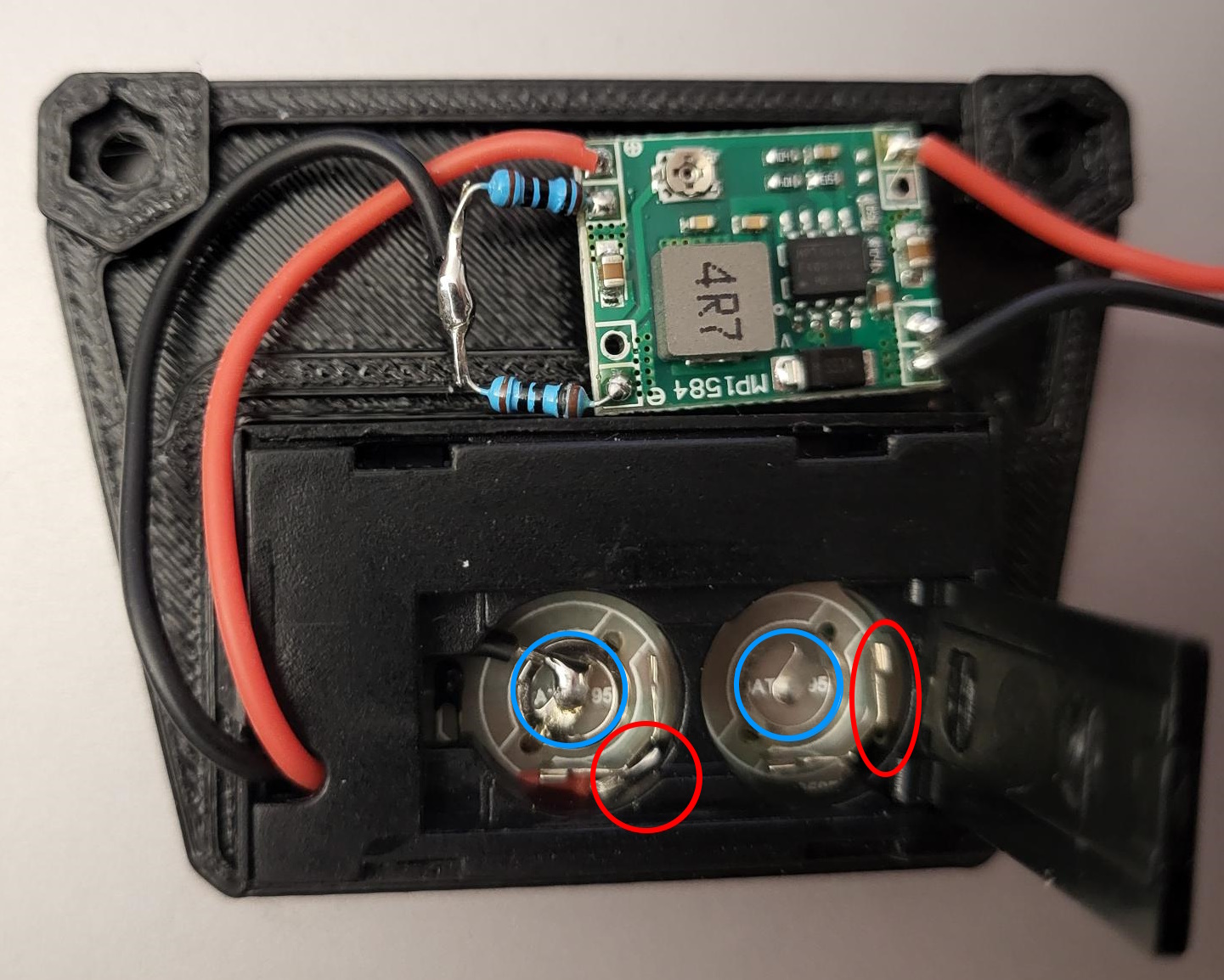
Connecting the electronic to the thermometer :
- Remove the LR44 batteries
- Unplug the 24V power supply
- Unmount the back plastic plate of the thermometer (Be careful, it's fragile)
- Solder the output black wire to central pin (-) of the battery slot (see photo)
- Solder the output red wire to the other pin (+) of the battery slot (see photo)
- Connect the electronic to the 24V power supply to check if the thermometer light up
You are done. Now, it's time to assemble everything and fix the thermometer on the enclosure, following the prusa guide. Instead of using the M3x8 screw of the guide, you will use longer screws, like M3x18 (or M3x16, M3x14)
There is different ways to connect the thermometer to the printer.
You can connect the thermometer to :
- The 24V PSU of the printer.
- The other end of the 24V power supply. At the entry of the printer board
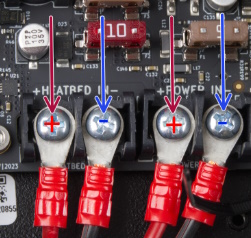
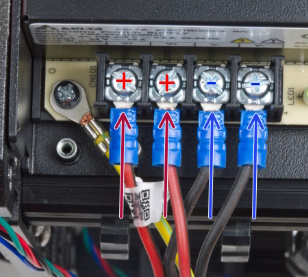
A couple of cable management to make it nice and you are done ! Power up the printer, your thermometer should turn on.



 0
0 0
0 0
0



