
Cherry MX Keycap - Blank
Lean Press

Найти похожую с ИИ


Профиль печати(0)
Файл модели(0)
 0
0 0
0 0
0
Опубликовано:2026-07-10 22:03:58
0
0



 000
000
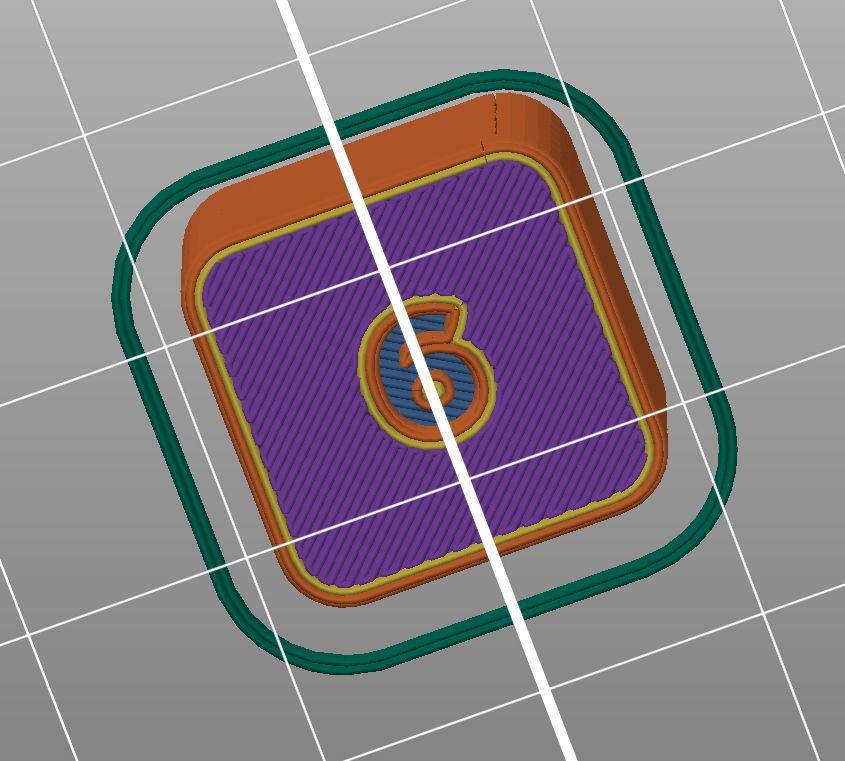
I designed this keycap using OpenSCAD. It is a blank keycap that you can customize in your slicer or use as is. I use it on a custom macro pad that I am working on.
| Customize the keycap in Prusa slicer | |
|
Add negative volume.
|
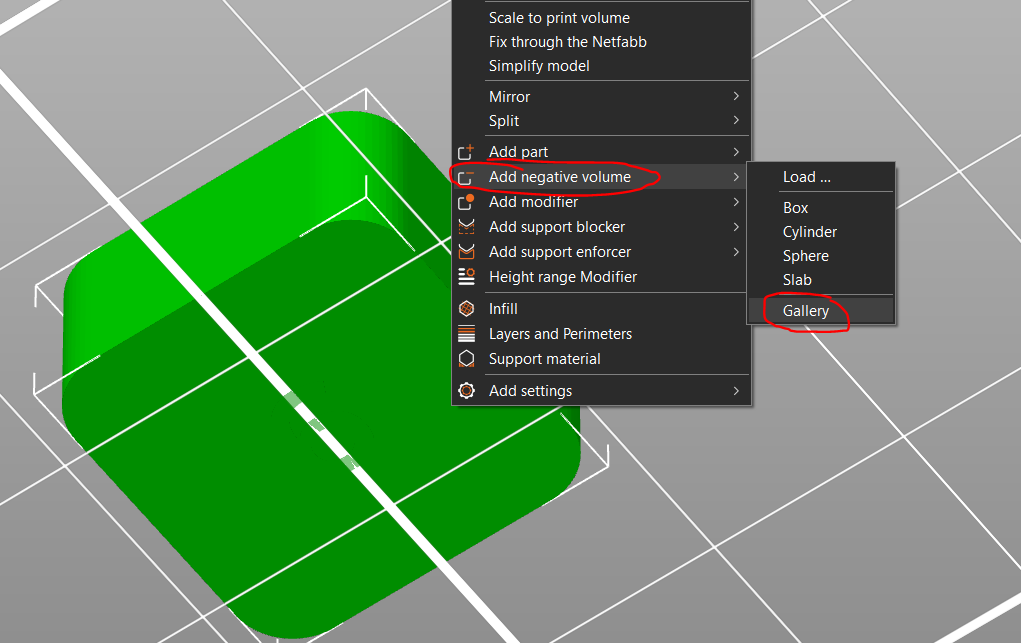
|
| Select a shape from the gallery. |
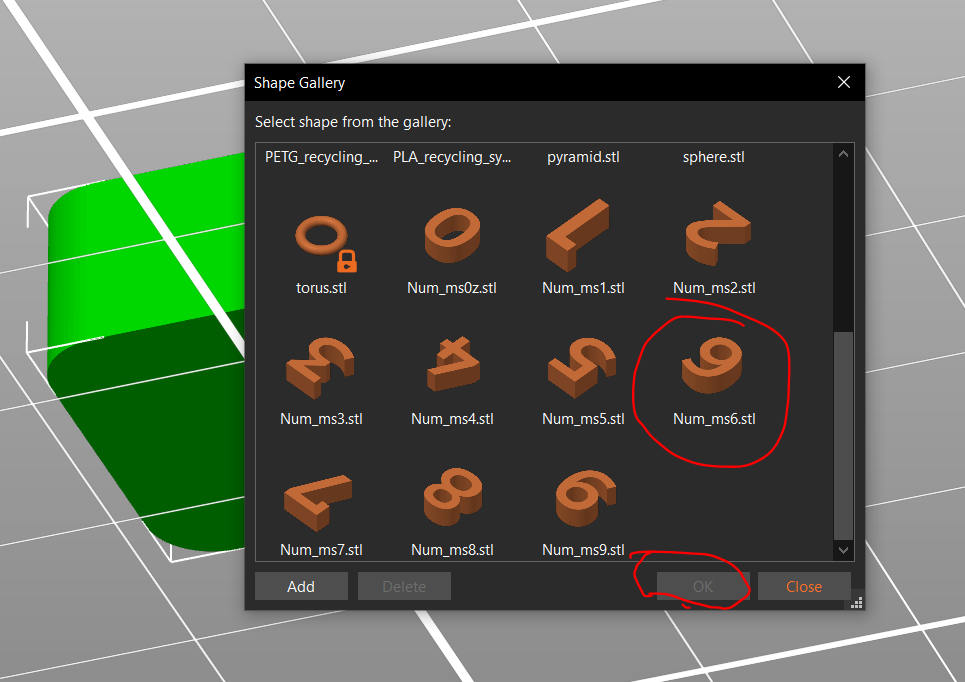
|
| Mirror the negative volume along the Y axis. |
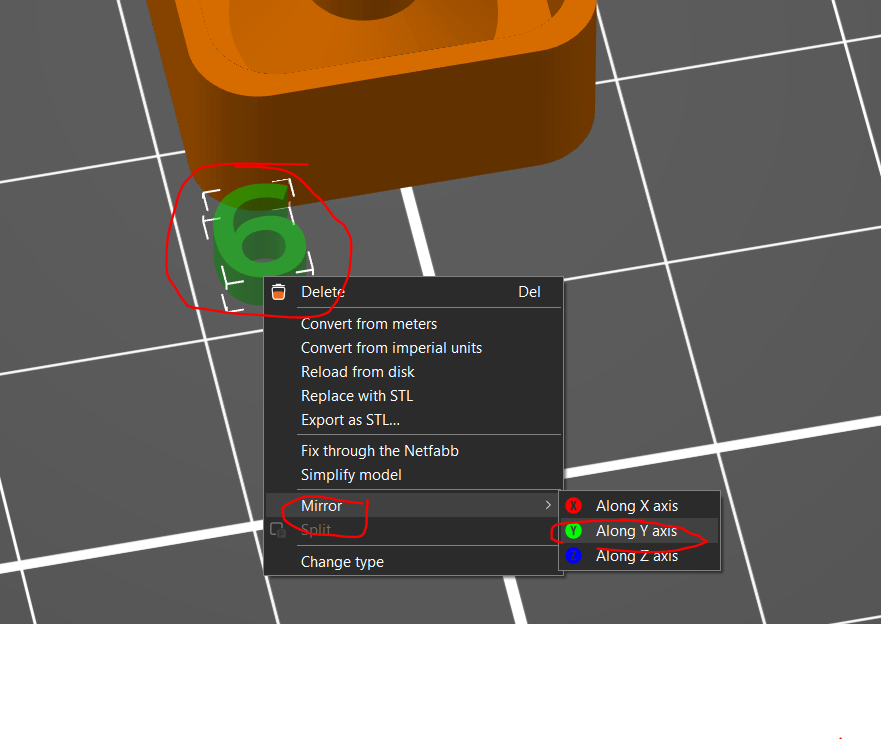
|
|
Unlock the shape. Change the Z size to 0.6 (or another value if you feel like it). Resize or scale if needed. Change the X and Y positions to 0 to center the object. Drop the object to the bed. |
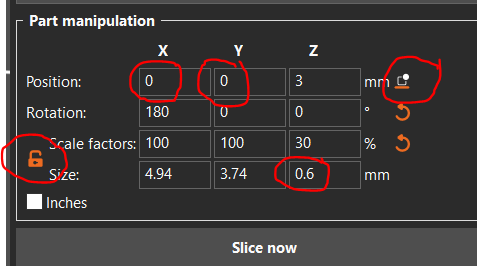
|
|
Voilà!
You can insert a color change if you want: Color change | Prusa Knowledge Base (prusa3d.com)
The color change needs to be added at the Z height of the negative volume + layer height. As an example, if you set the negative volume height to 0.6 and are printing at a 0.2 layer height, the color change needs to be added at 0.8 mm. |

|
