Drink tag V2
Oloalos

AI로 유사한 모델 찾기


프로필 출력(0)
모델 파일(0)
 0
0 0
0 0
0
게시일:2026-08-05 02:18:33
0
0
 000
000Hello and thank you for looking into my model.😀
This model is used so you, your family or your friends don’t constantly forget which glass or cup was theirs or yours. There is a model for non AMS too but it’s more or less the same plan you have to follow. Is there something wrong with the model? Please comment and I would really like it if you
leave me a review.
Here is the step by step plan on how to put your name on the tag.
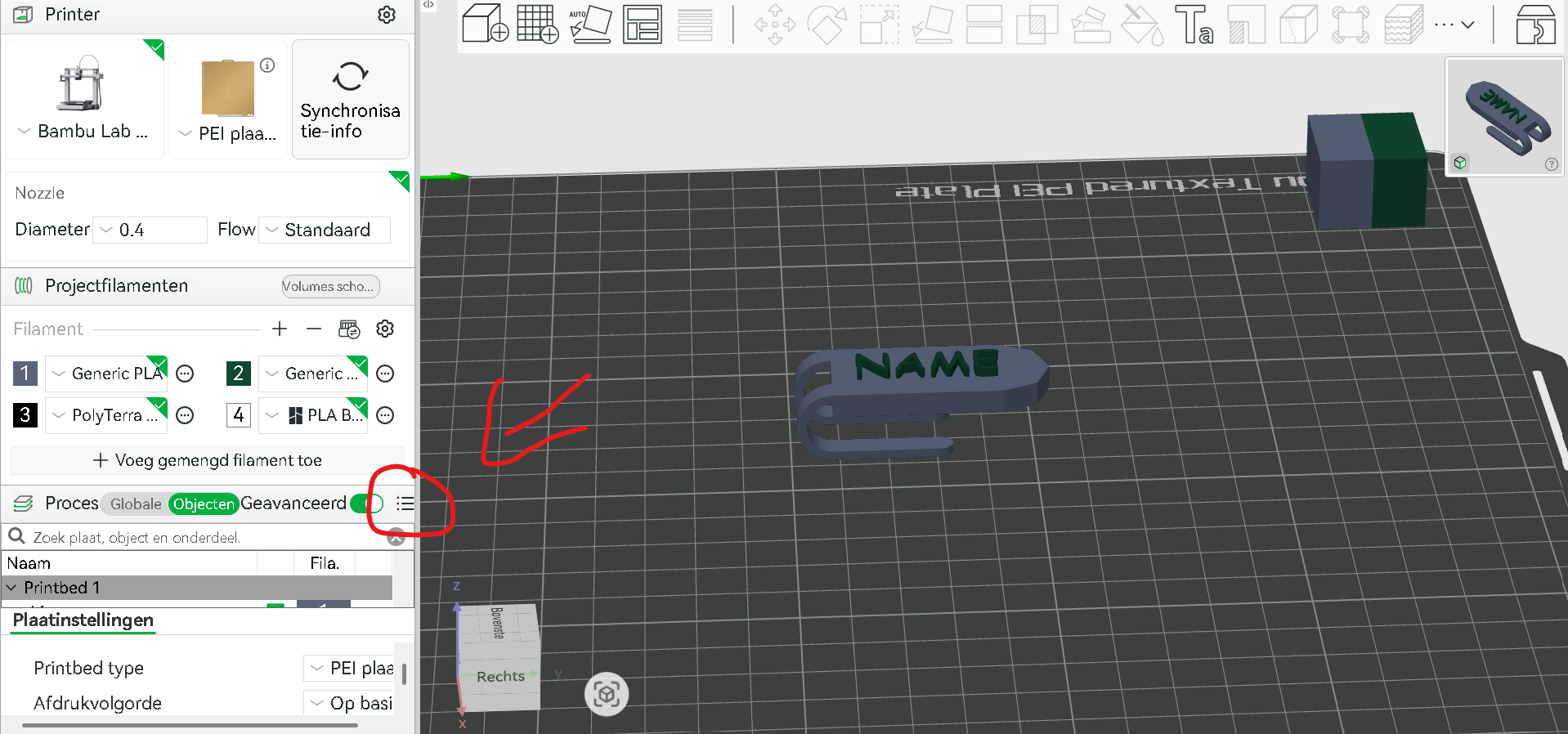
Step 1: Open the model and press this icon of 3 dots and 3 lines to see all the objects.
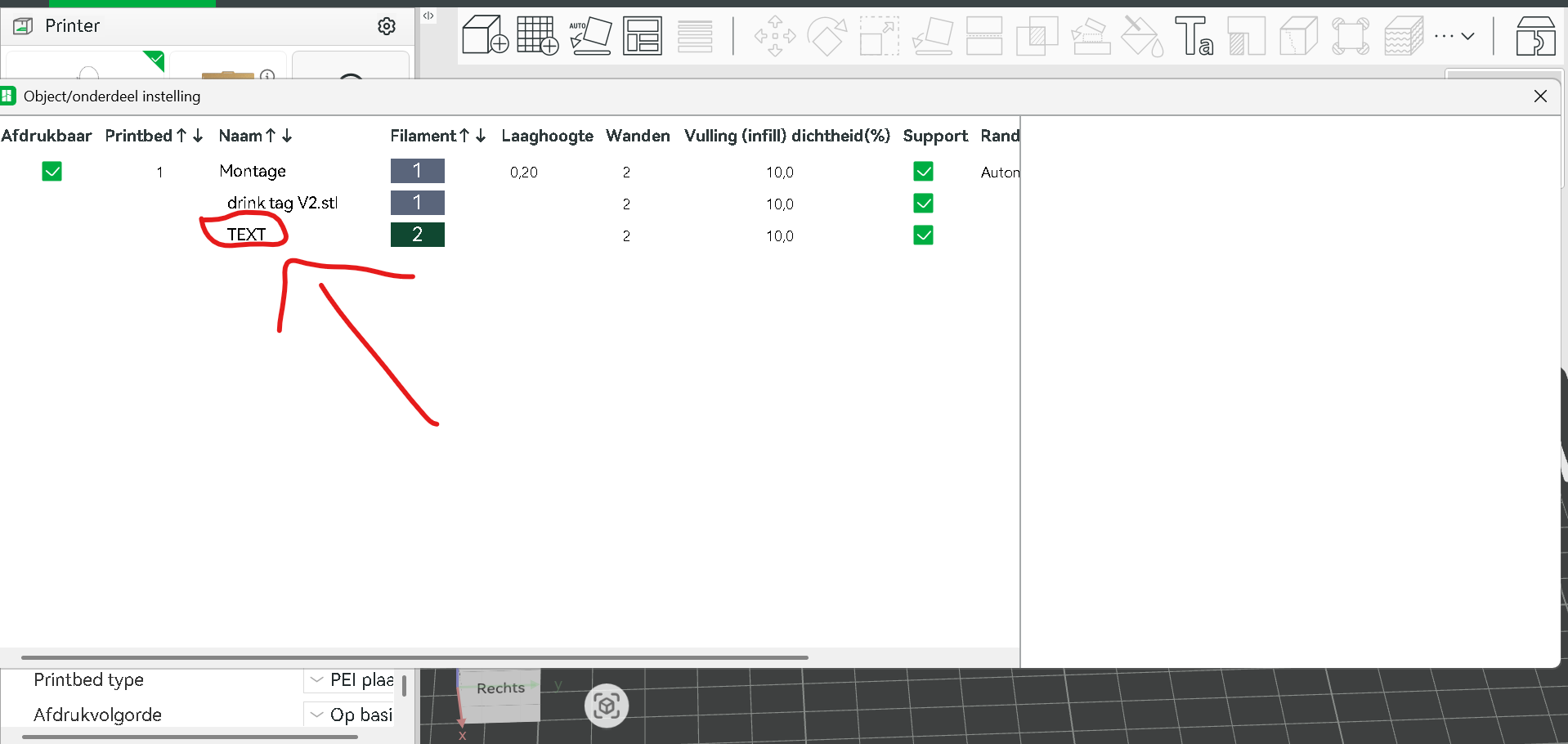
Step 2: Click on the word TEXT so it highlights blue.
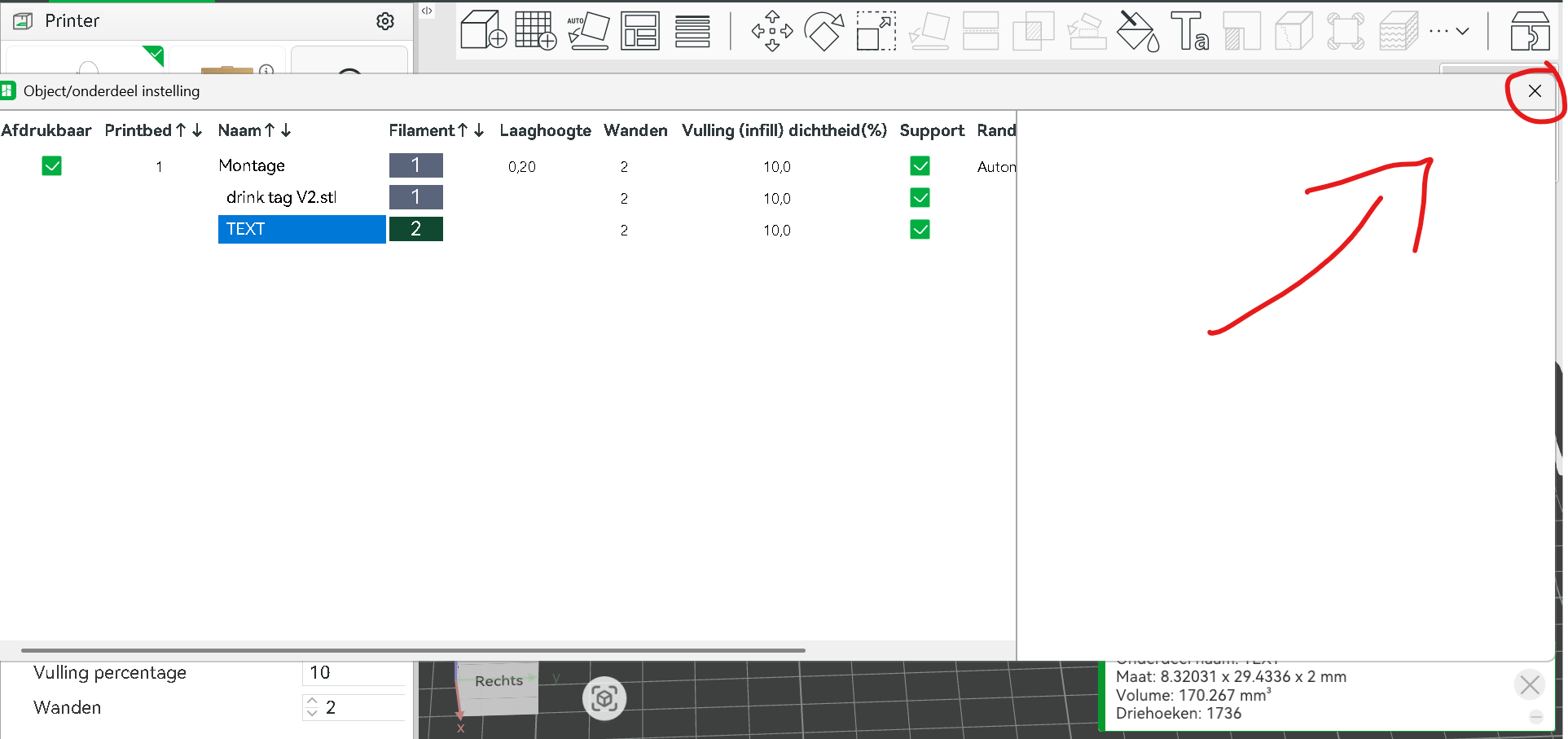
Step 3: Press the x in the right top corner to close the tab.
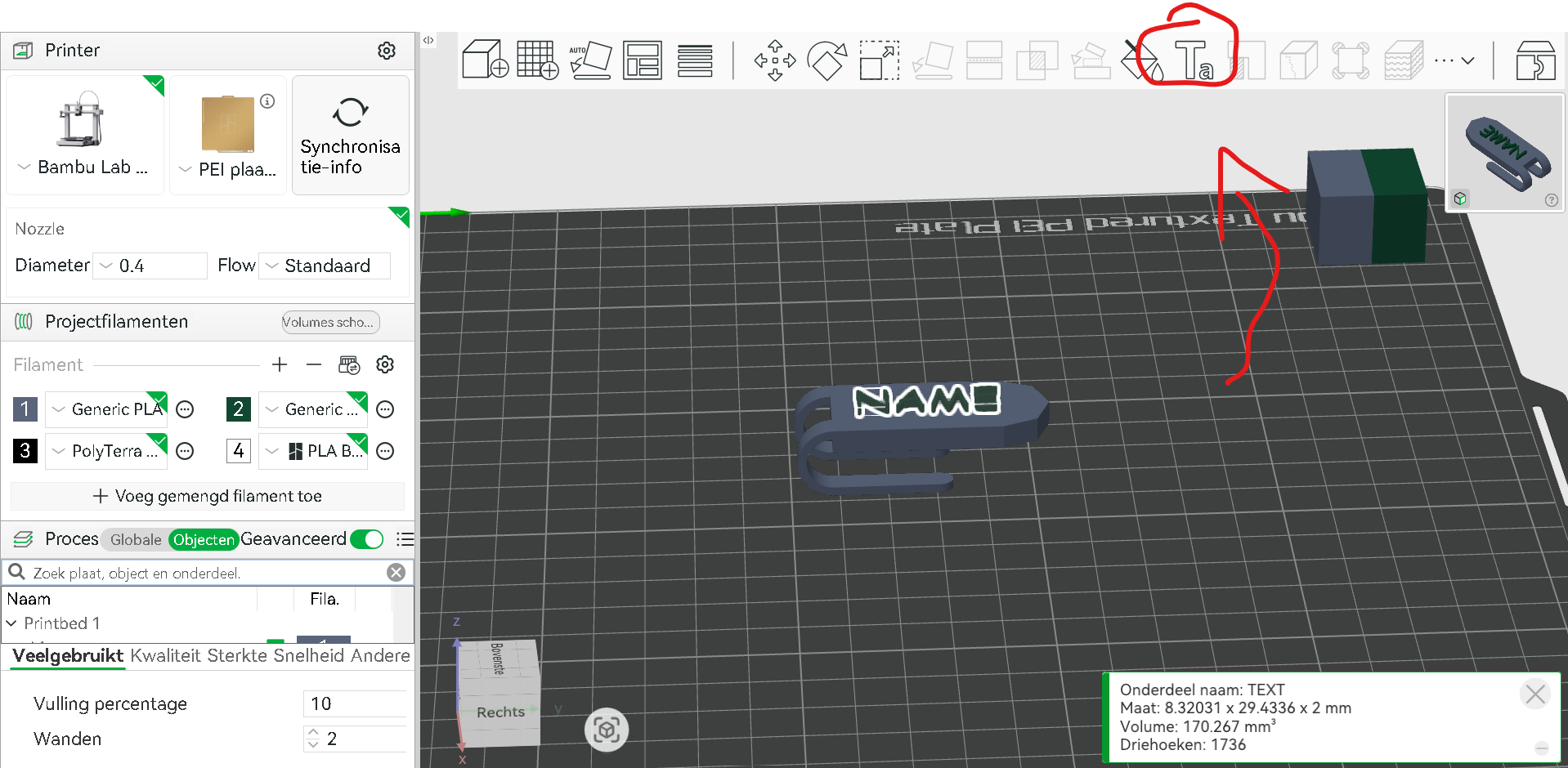
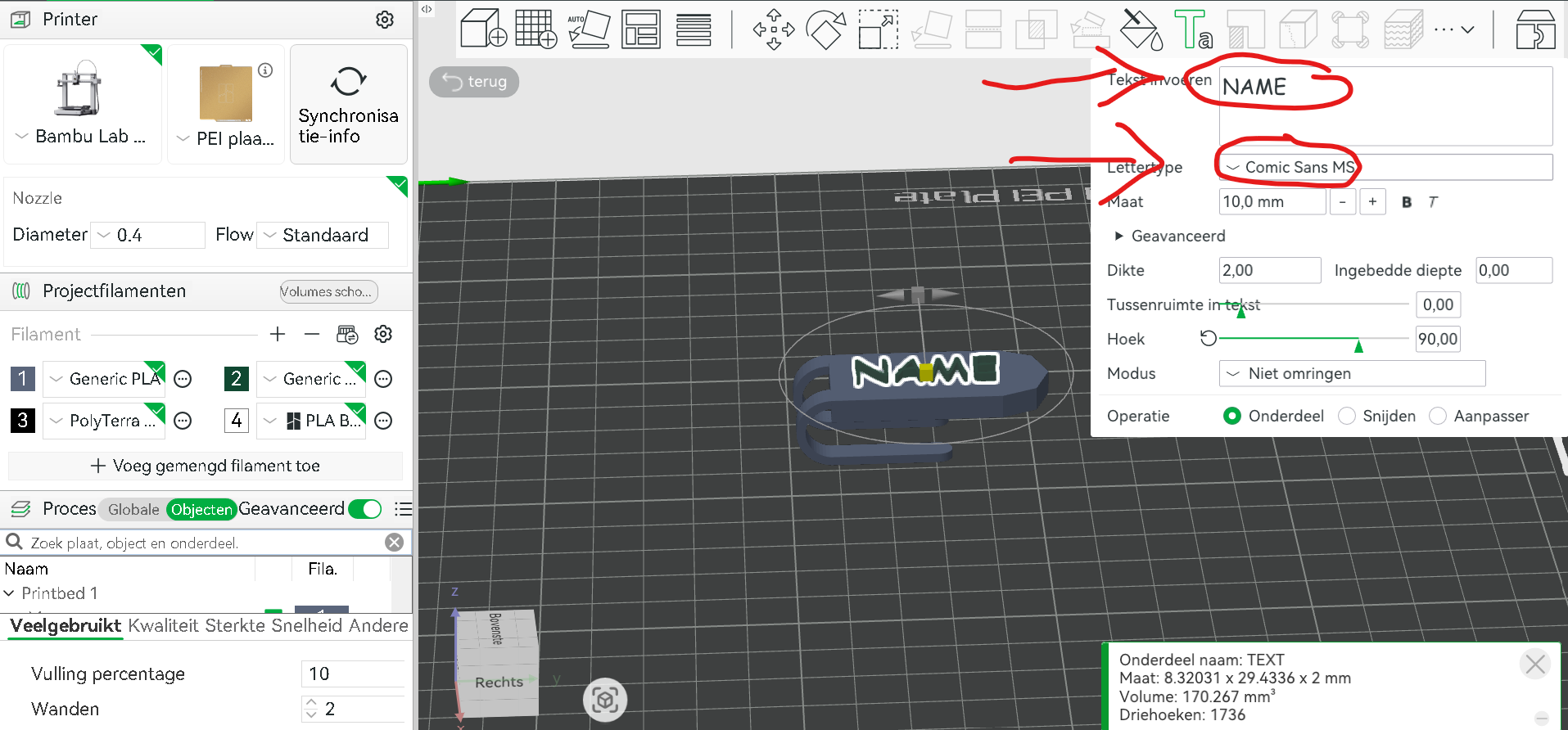
Step 4: Press the Ta icon in the white bar up top.
Step 5: Change “NAME” into your name and it isn’t necessary but you can change the lettertype if you want.
Step 6: If your name isn’t centered properly then you can change its size with the right icon and move it with the left.
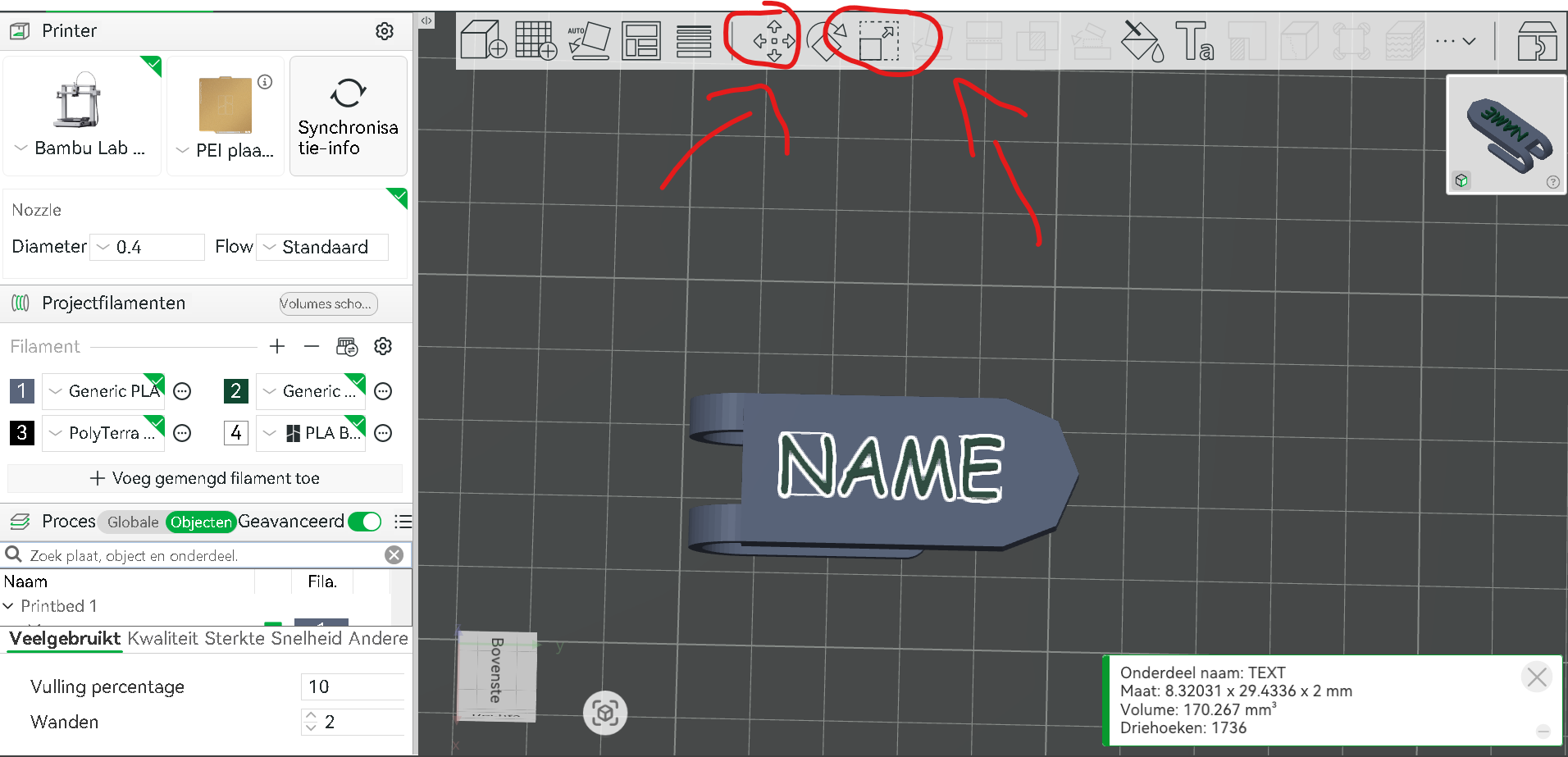
Step 7: your nametag is ready to be printed and make sure you don't forget supports! 🙂