
Placeholder for Insert Nuts
Jacob Donnelly21

AIで類似品を検索


印刷プロファイル(0)
モデルファイル(0)
 0
0 0
0 0
0
公開日時:2026-01-30 08:24:52
0
0
 000
000The "Placeholders for Insert Nuts" model includes STL files for insert nuts of sizes
- M5x8
-M6x9
- M8x11
- M10x16
These models serve as negative molds for other components into which you want to insert the insert nut during printing.
The orientation of the negative mold must be designed so that the tips point downwards during printing. And this shape
must, of course, be "subtracted" from the existing object.
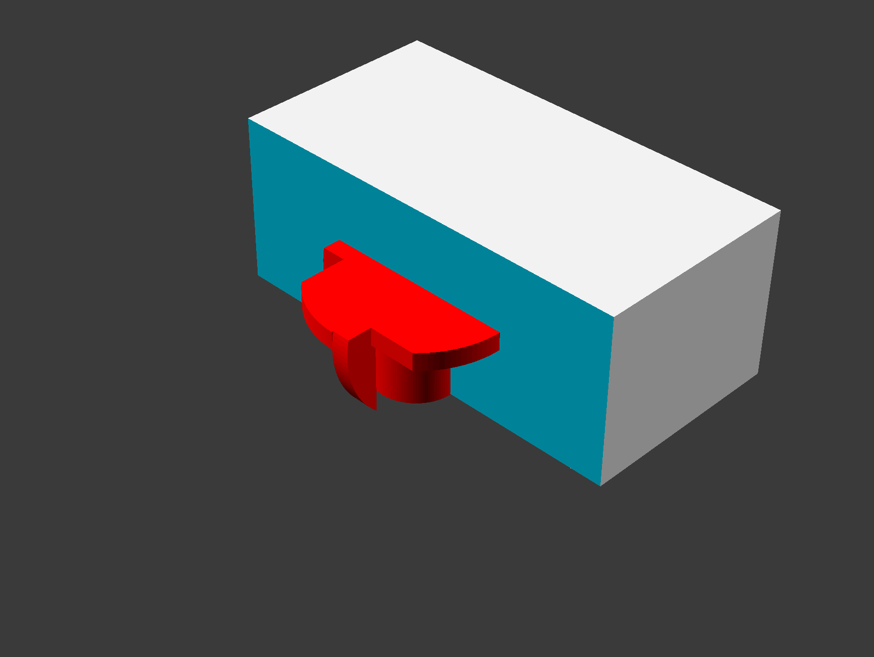
The placeholder thus creates a cavity in the object.
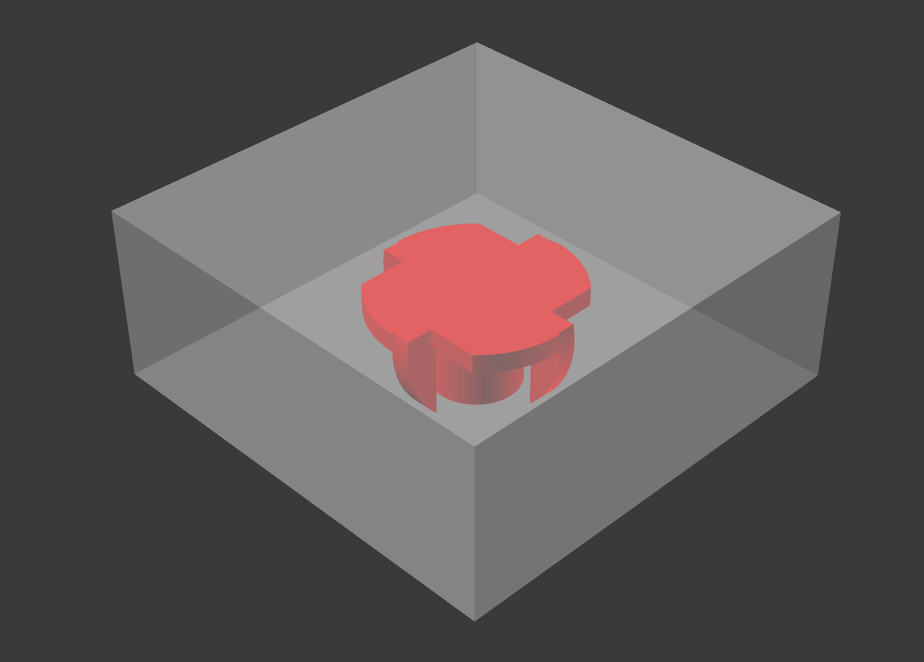
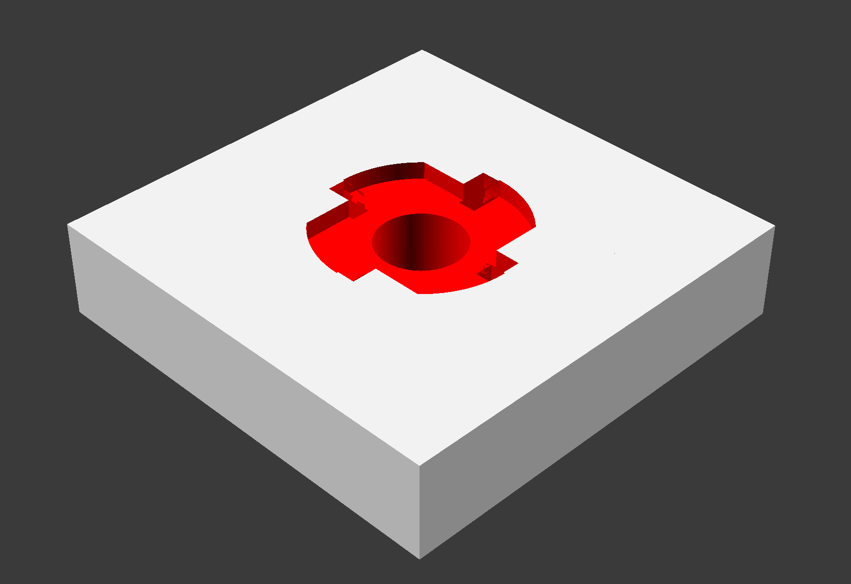
During printing, you must then insert a pause at the correct point before inserting the insert nut and then printing the "lid" and the rest.
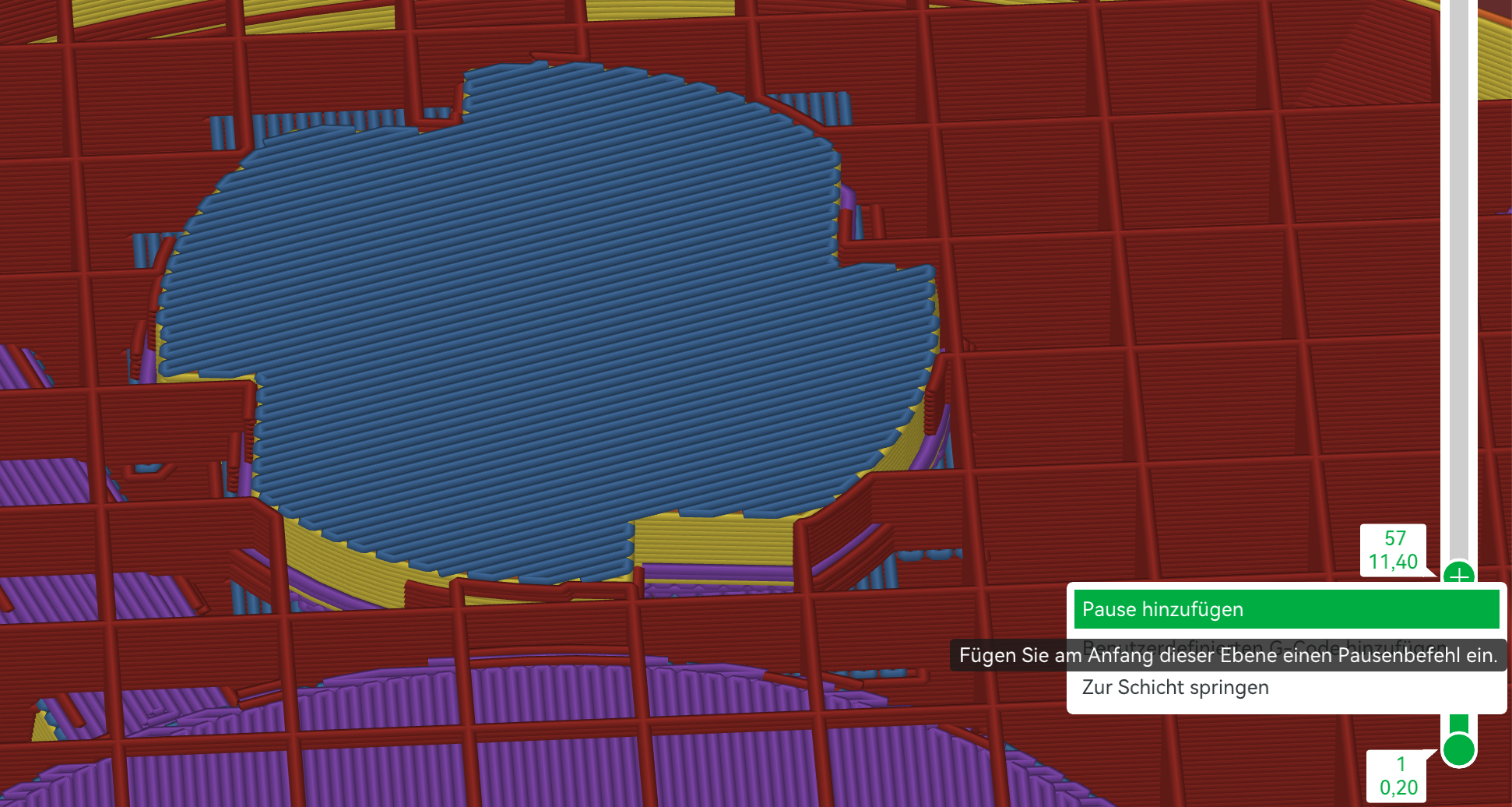
In Bambu Studio, you slice the model and then insert a pause on the right in the vertical slider.
It is important to select the exact layer on which the "lid" is already present. Because the pause is inserted at the beginning of this layer!
During printing, you wait until the pause occurs and then insert the insert nuts into the object. The placeholders create exactly
enough space for the insert nuts to fit loosely into the opening.
Important: The insert nuts must be flush with the top and must not protrude! This can damage the print or even the nozzle and print head!
It is best to test this beforehand with a small model. If the insert nut does not fit loosely => Cancel!
It is also important that the filament is well calibrated and that there is no over-extrusion, otherwise the insert nuts will not fit.
Furthermore, these insert nuts are not standardized and vary slightly in dimensions depending on the supplier.
In this case, it can (if necessary) help to enlarge the models by 1-2% in the x and y directions.
Again: Please try it out beforehand with a small test version!
