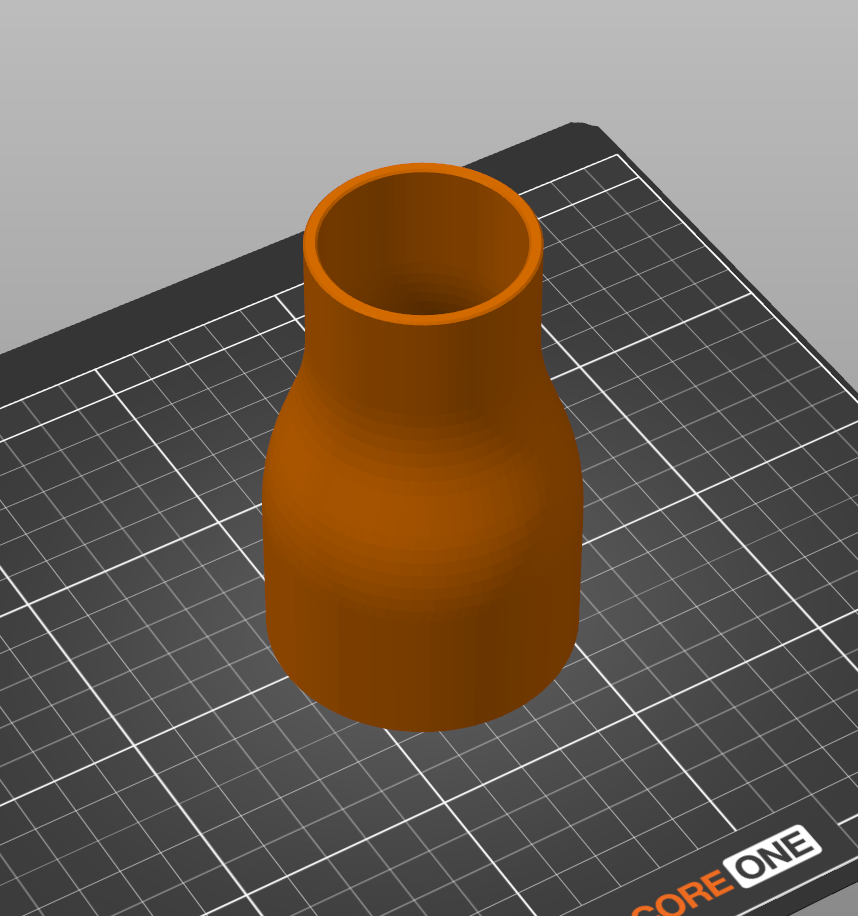
Vacuum Dust Extractor Adapter - Parametric
Ethan Nyberg09

Trouver des similitudes avec l'IA

Profil d’impression(0)
Fichier modèle(0)
 0
0 0
0 0
0
Publié:2026-06-01 07:10:38
0
0
 000
000A fully parameterized dust extractor/vacuum adapter.
Easily customize the adapter for the exact dimensions you need!
Open the included .f3d file in Fusion 360.
DustExtractorAdapterParametric.f3d
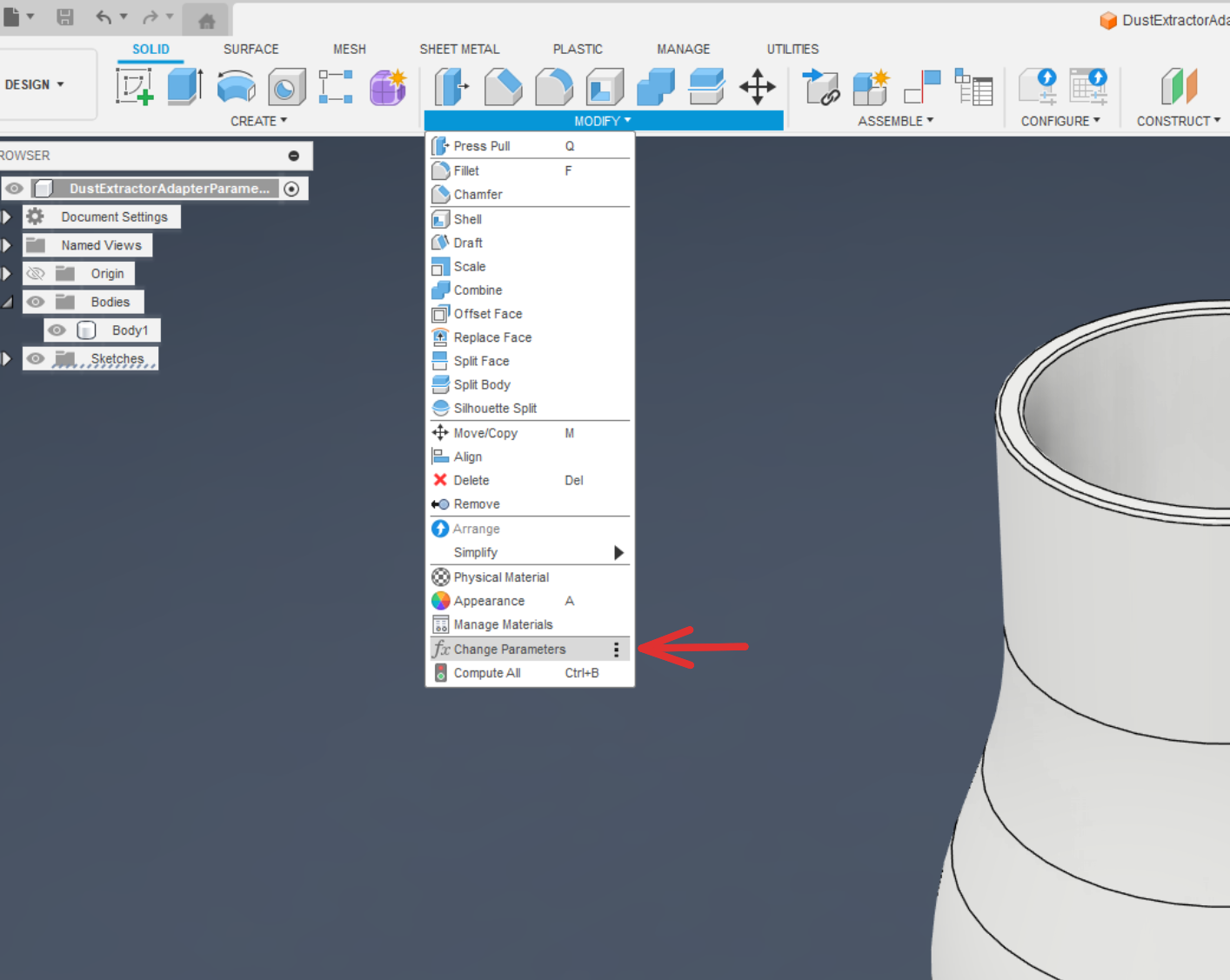
Go to the Modify dropdown and click on Change Parameters.
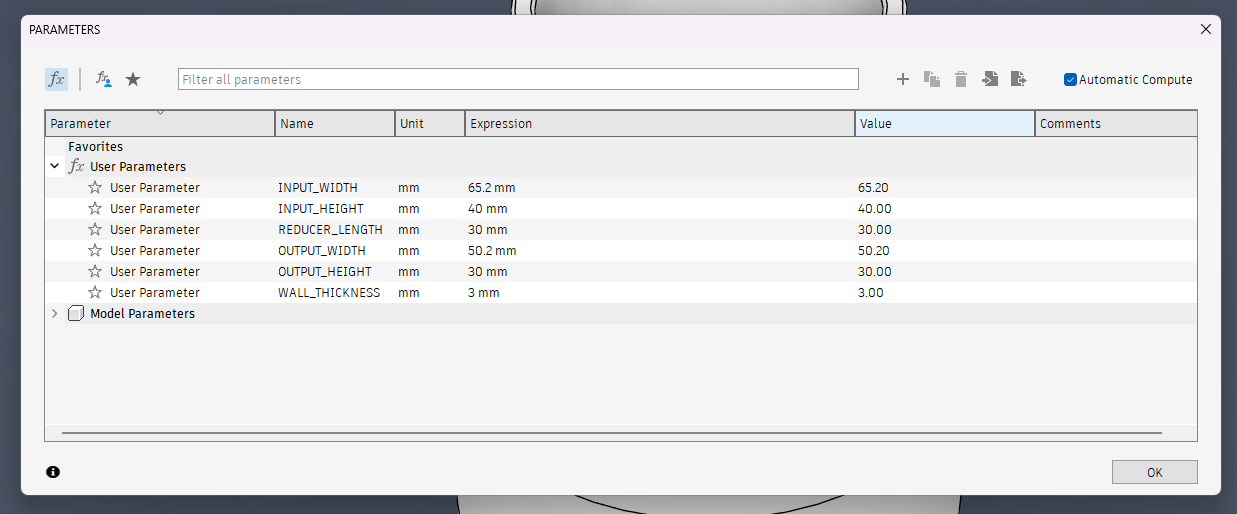
To change the measurements you need to change the “Expression” column.
Fusion wont allow you to change the “Value" column.
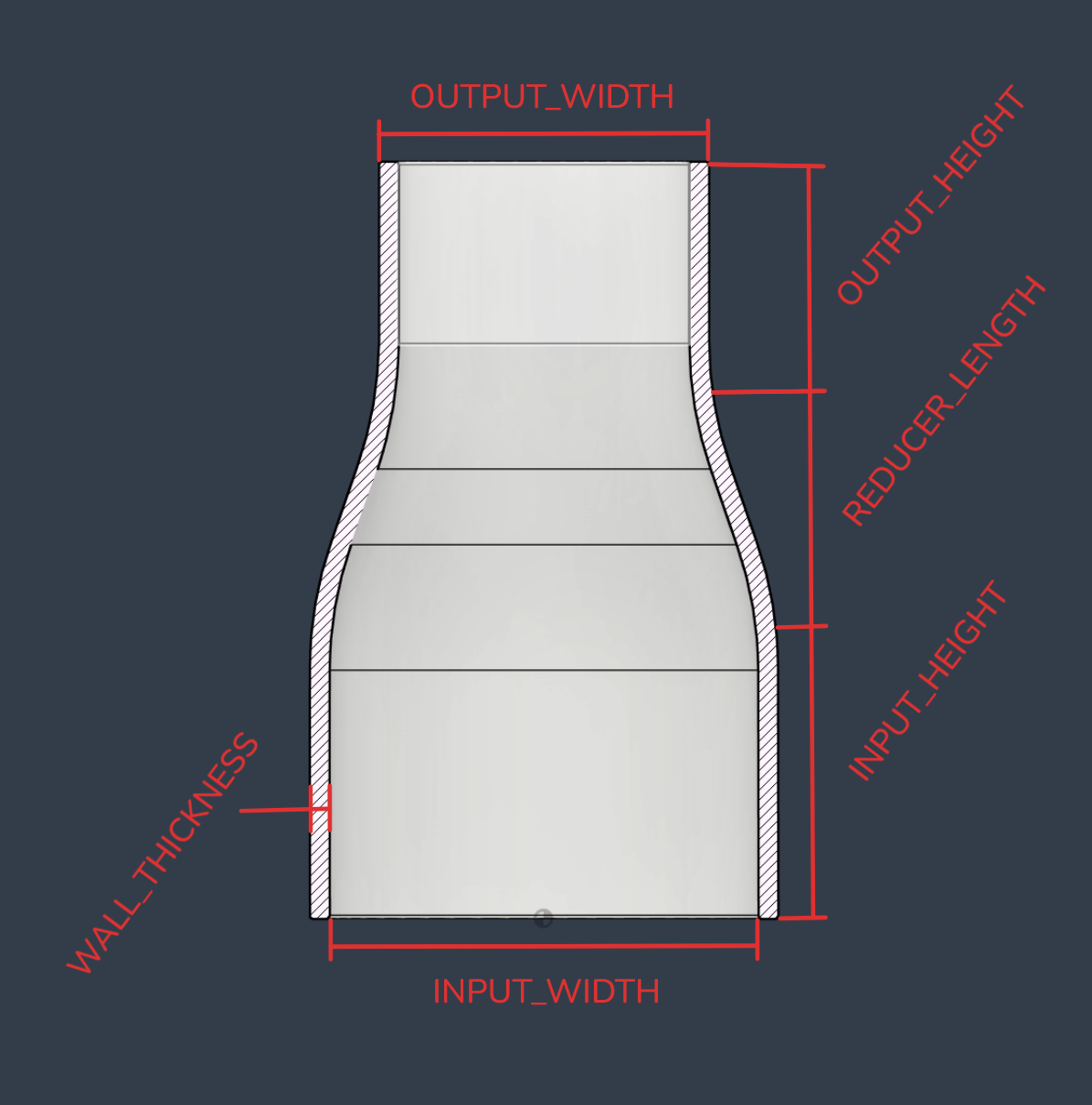
Available parameters:
INPUT_WIDTH - Inside width of the input side
INPUT_HEIGHT - Height of the input section
REDUCER_LENGTH - The length for the transition between input & output
OUTPUT_WIDTH - Outside width output side
OUTPUT_HEIGHT - Height of the output section
WALL_THICKNESS - Wall thickness of the adapter
Recommended to print with the wide side down.