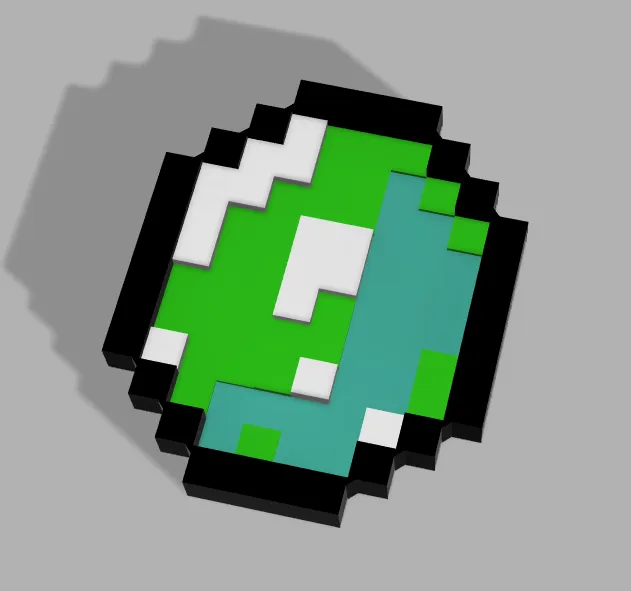
Minecraft Emerald Item
This is my own version of a Minecraft Emerald Item, the pixel art it´s not identical to the original from Mojang original Minecraft Game
because of my limited color filaments I have.
The Emerald Item has 2 ways to be printed
1°- Only One Print
If yoy have a multicolor 3D Printer you can print this model in one piece and with no problems to join the parts
2°-Two Separed Prints
If you only have a one extruder 3D Print you have to do pauses in the model to manually change the filament color.
For the frame you can print it in one piece in Black or Dark Green filaments,
for the inside of the emerald you will have to put pauses in layers: 6 & 11 to correctly print the filament colors on the model, in my case I use the Creality Green, Black & White filament & The Sea Green filament Color,
but you can use any colors of your preference to print the model.
and the ofter you print all the models you only have to join the two pieces without use glue.
WARNING: THE PIECES HAVE TO BE JOINED WITH FORCE
IF YOU CAN´T YOIN THE PARTS YOU CAN CUT SMALL AREAS FROM THE SIDES OF THE INSIDE PART OF THE MODEL.
Thank you all for read the intructions.


 0
0 0
0 0
0