
Finished Surface Pattern (Works for Top/Bottom)
Conrad Malone

Encuentre similares con IA


Perfil de impresión(0)
Archivo de modelo(0)
 0
0 0
0 0
0
Publicado:2025-12-29 23:48:40
0
0
 000
000Use these models to add a different finish to your top and/or bottom surfaces of your models.
In the example below I am using Orca Slicer, but the steps should be somewhat similar for other slicers (I would imagine).
How to use:
Load in your Model and head over to the ‘Objects’ tab.
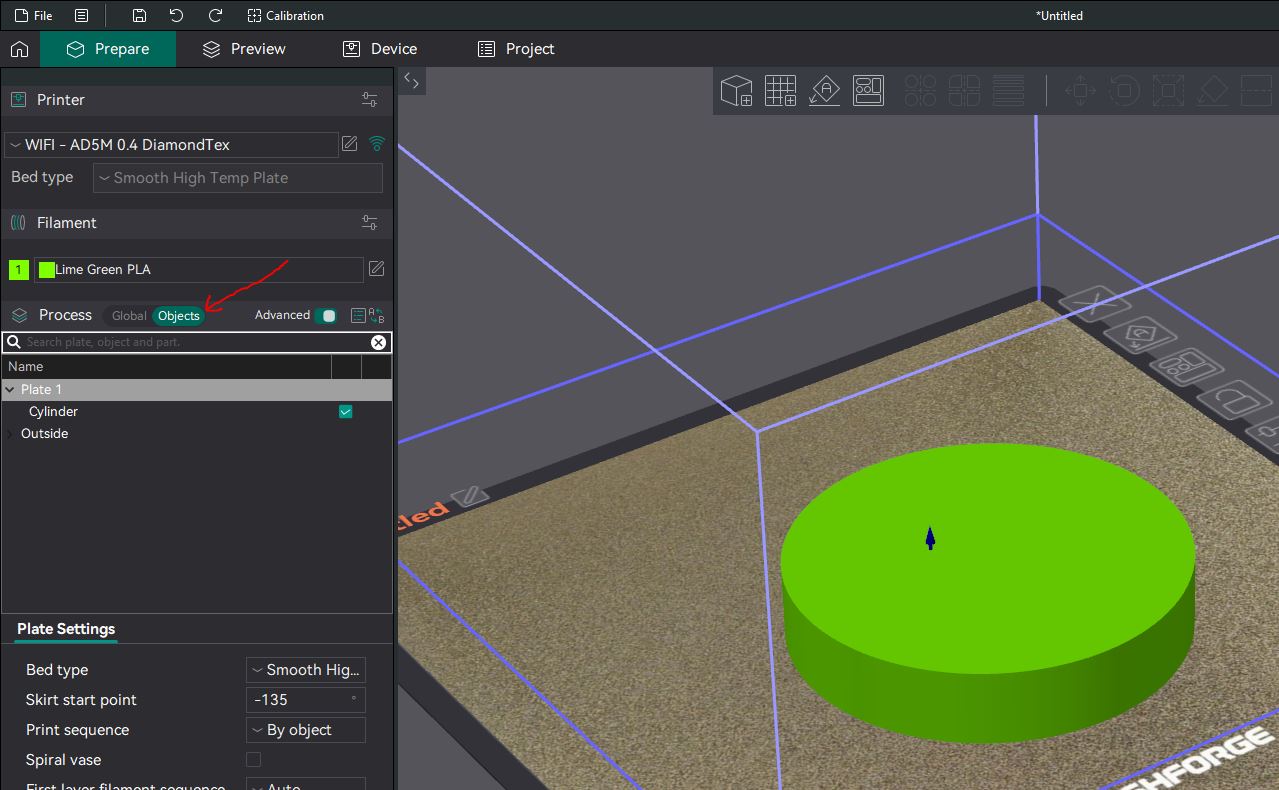
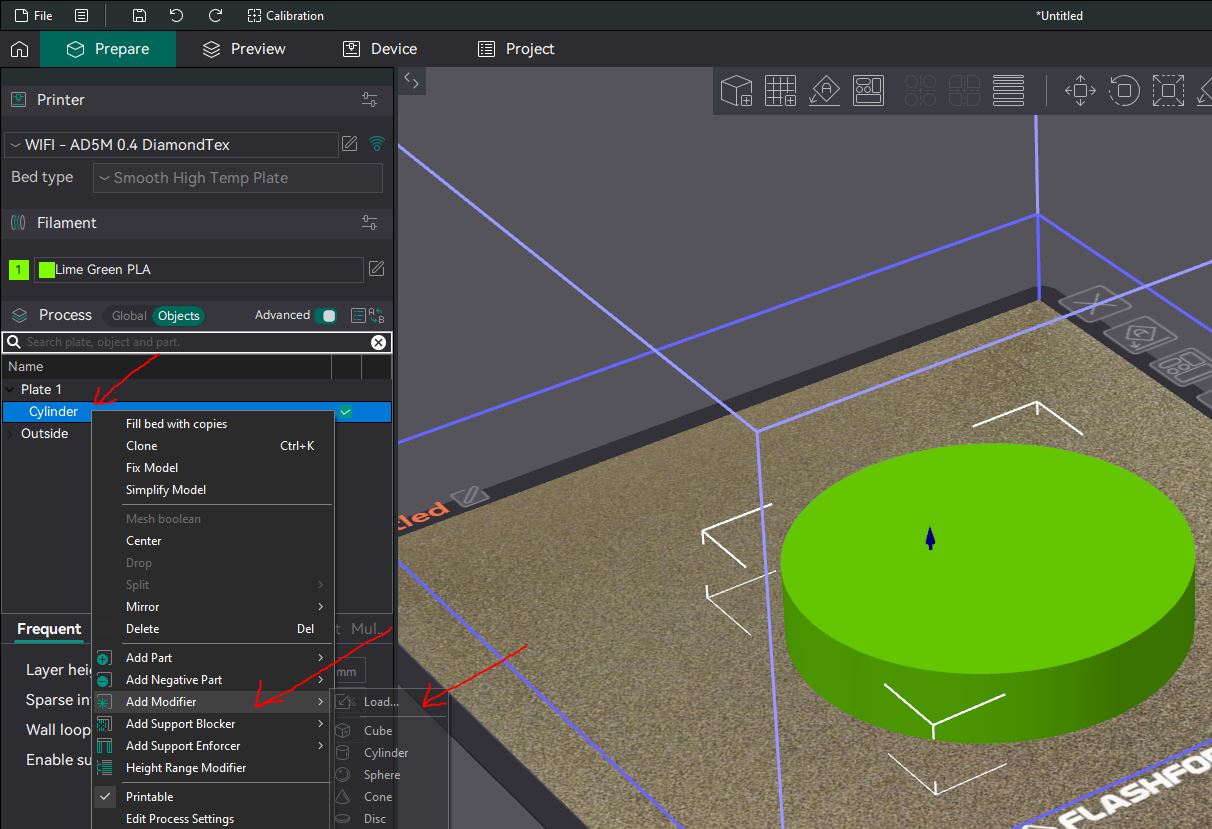
Right Click on your model in the list on the left > Add modifier > Load > [Select the pattern downloaded from here]
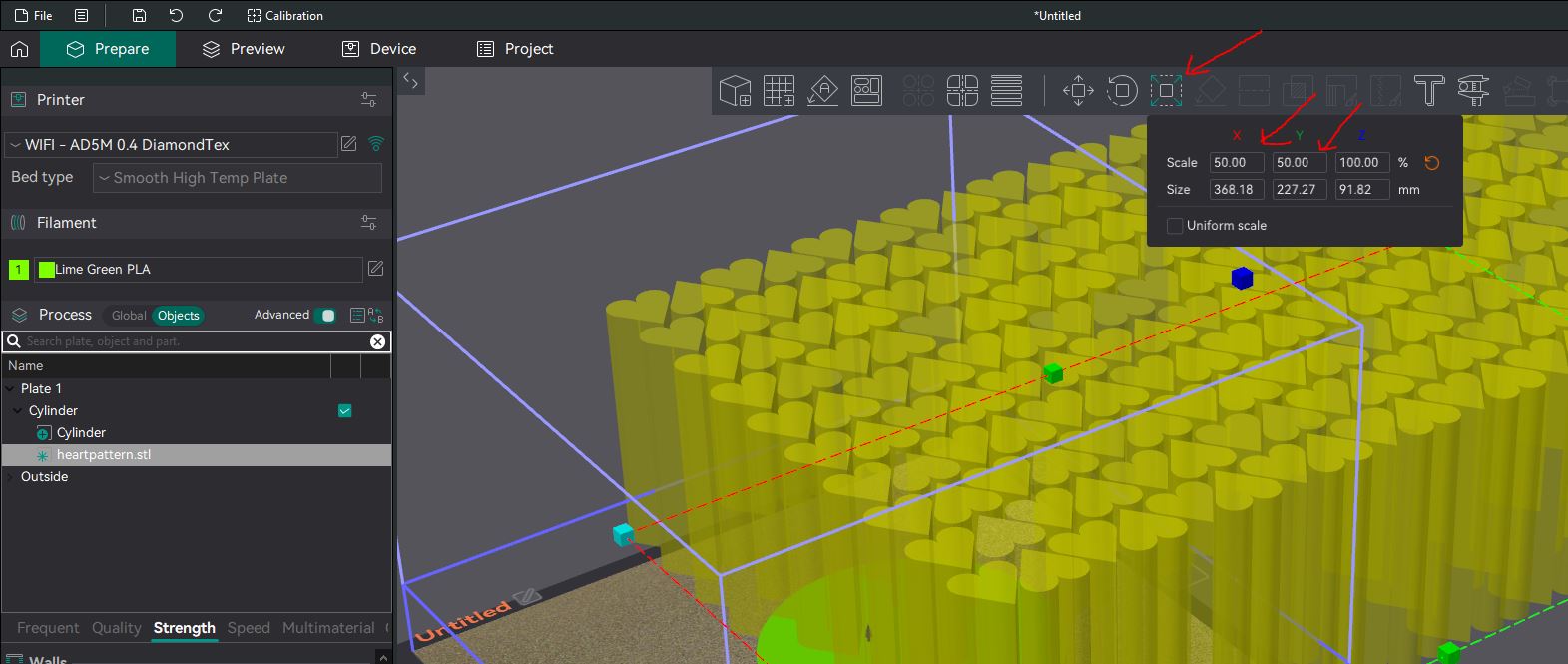
Once the pattern has loaded in, scale the pattern in the X and Y axis to suit your needs.
After you have selected an appropriate scale for your project, move the pattern so that it sits just inside the top/bottom surface of your model.
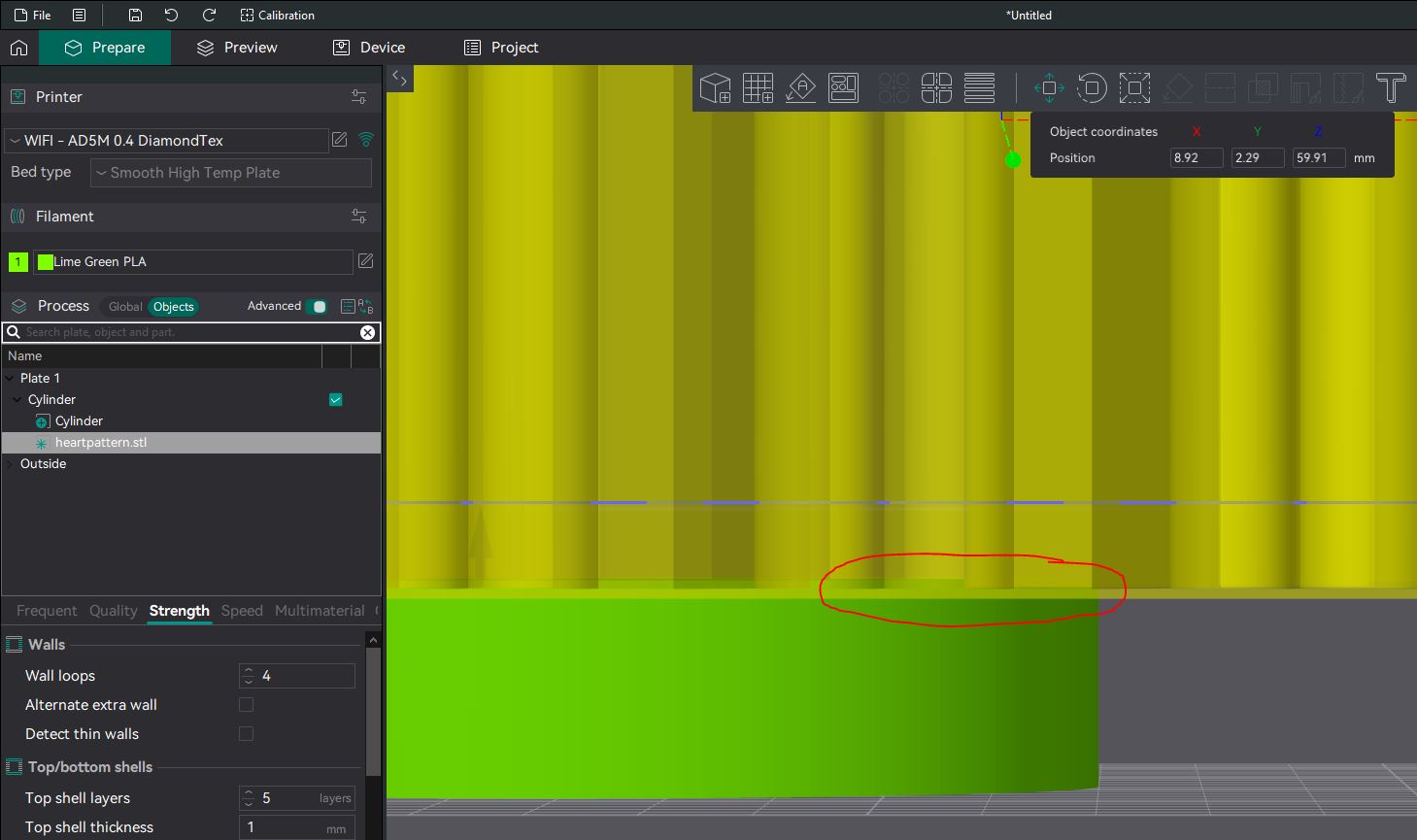
Now, ensure you are selecting the Pattern Model > Strength Tab, and change the top surface/bottom surface pattern to be concentric (or something different to the pattern of your model to be printed). At this point you can also mess around with different surface settings or turn on ironing for a smoother subtle finish.
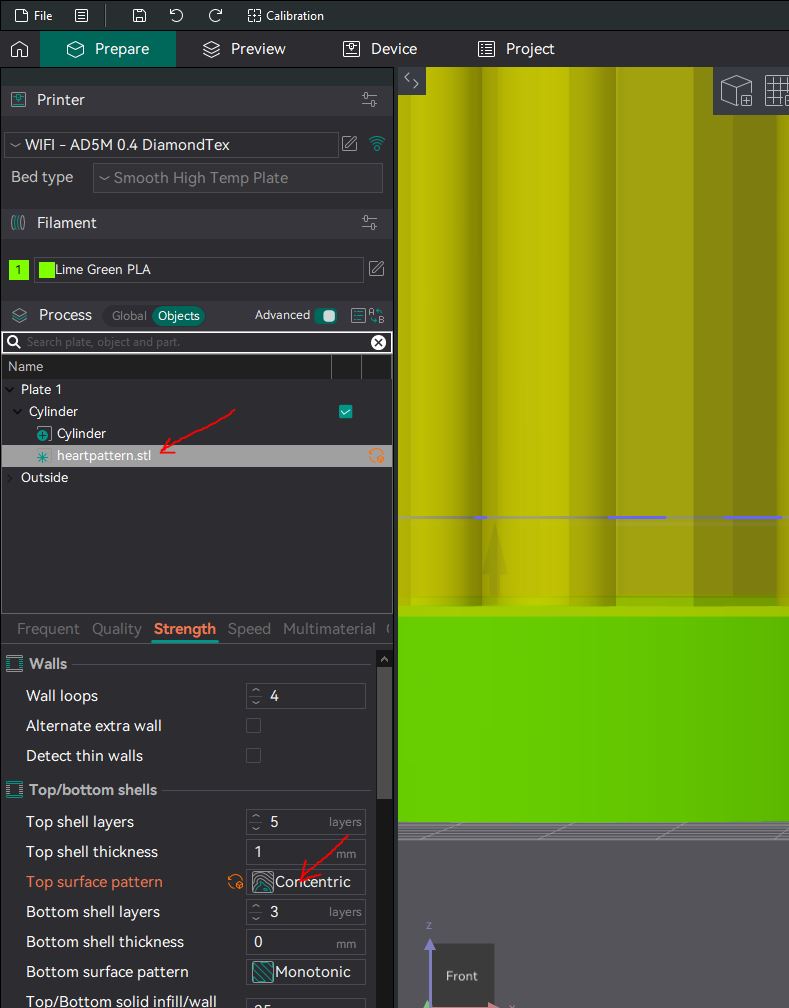
Finally, slice your model and move the slider to view the top/bottom layers to ensure you have achieved the desired result. Enjoy!
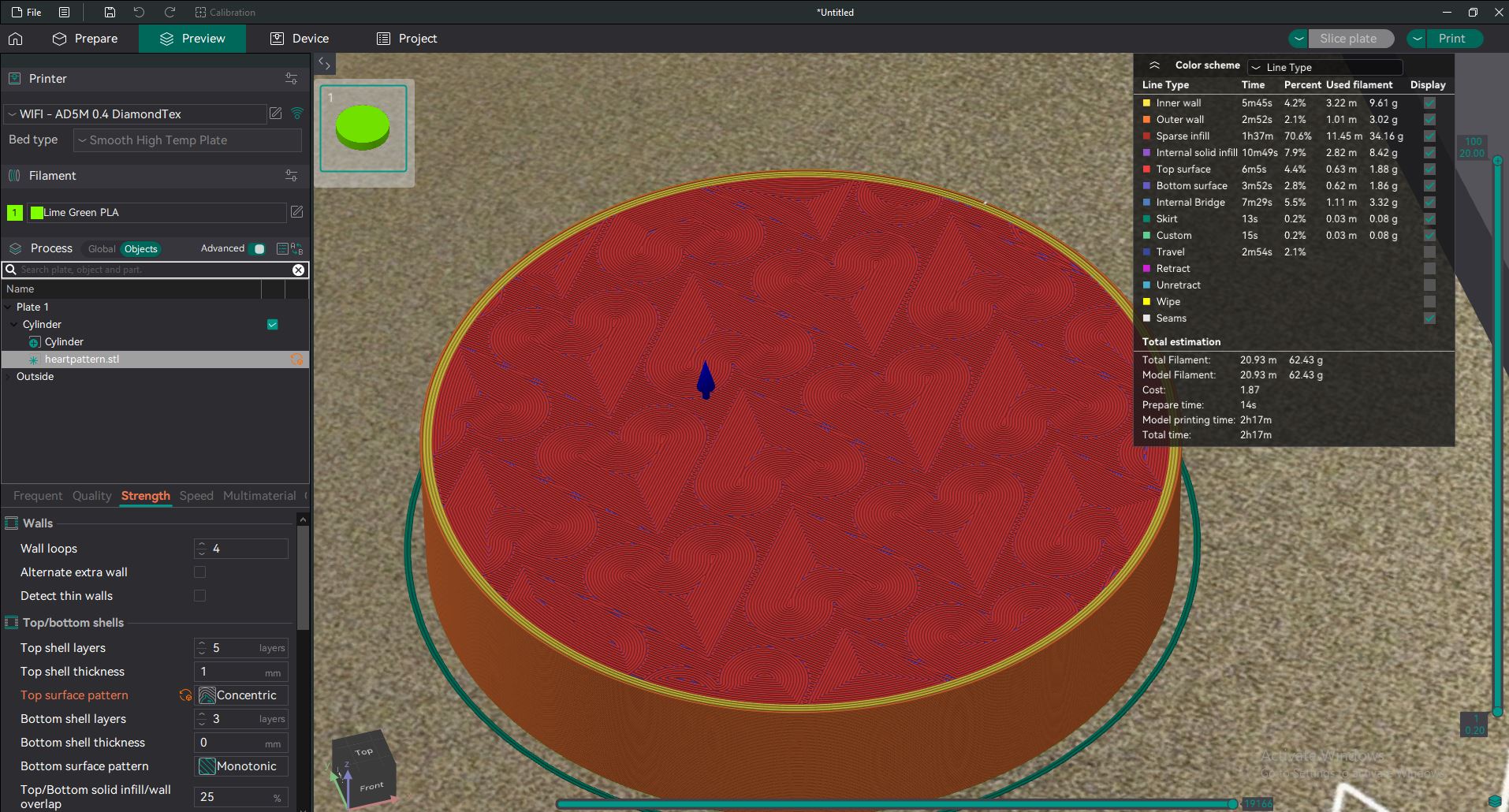
More patterns to come!
