
Debris cleaner
hannah_brown

Mit KI Ähnliches finden


Druckprofil(0)
Modelldatei(0)
 0
0 1
1 0
0
Veröffentlicht:2023-12-16 03:03:53
0
0
 010
010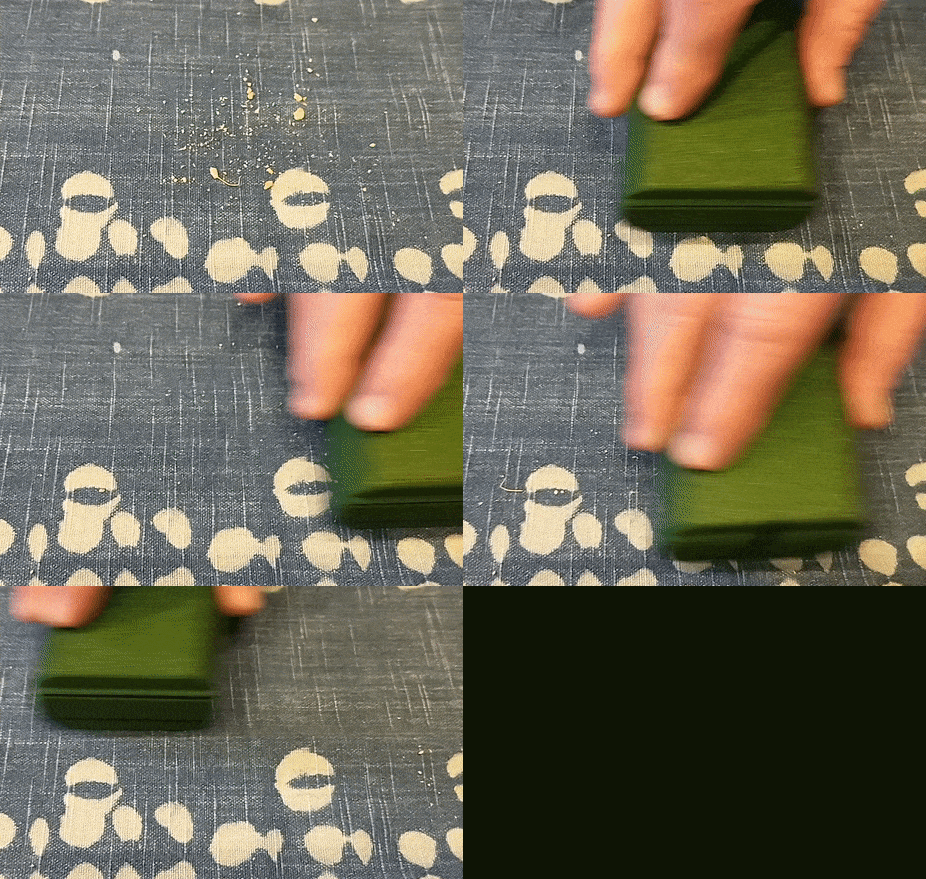
This small debris sweeper, just like the ones you see in high-end restaurants, is equipped with a 3D-printed roller brush. All you need to do is sweep back and forth a few times
The difficulty of this design lies not in how to print a cylindrical brush, but in how to cut the brush from the external support cylinder. The solution is a printed cutting tool, which is pushed into the brush support cylinder to cut the ends of the bristles so that they are flush with the surface of the cylinder.
Print
Use a layer height of exactly 0.2mm to print the bristles correctly. I used PLA, which produced bristles with appropriate stiffness. You might want to add a rim to the brush and cutting tool parts to increase stability. Finally, make sure you use the "random" seam alignment mode when printing the brush. The default "alignment" mode tends to place weaker seams at the bottom of the bristles, which is exactly what you don't want.NoThe place I want to go.
Release the brush
First, please note that the external support cylinder on the brush extends beyond the brush itself. Place this end on the table. Insert the tip of the cutting tool into the top of the brush cylinder. Do not rotate the cutting tool - simply press it firmly into the cylinder to start cutting off the ends of the bristles. You may need to hit the end of the cutting tool with a small hammer to push it all the way in.
When it reaches the bottom, push the released brush upwards to the top of the cylinder.
Now, you can insert the brush between the protrusions at the top of the sweeper. Simply slide the bottom of the sweeper to the top and insert it into place on the two small friction protrusions.
When using it, you just need to roll it back and forth gently on the tablecloth. It's most suitable for use on fabric surfaces.
