
Customizable Fan
kathleen_hill

Mit KI Ähnliches finden

Druckprofil(0)
Modelldatei(0)
 0
0 0
0 0
0
Veröffentlicht:2026-05-22 00:19:23
0
0
 000
000Please download the STL file (not the 3mf file) before proceeding to the next steps.
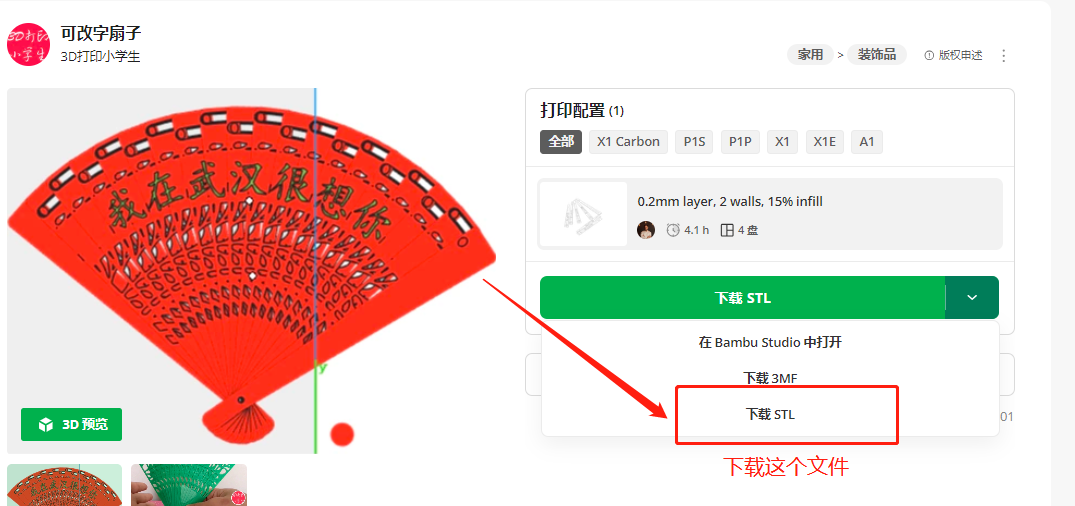
Font Modification Steps:
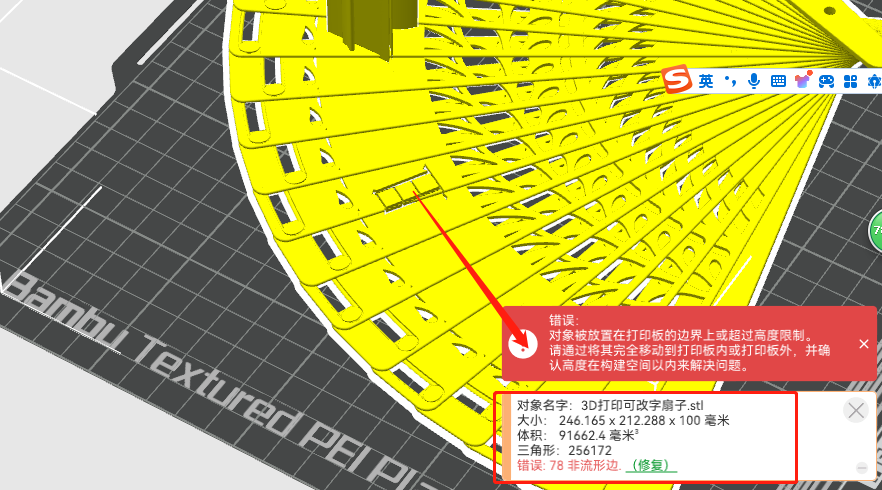
1. Import the blank fan into Bambu Studio software and repair any stray edges.
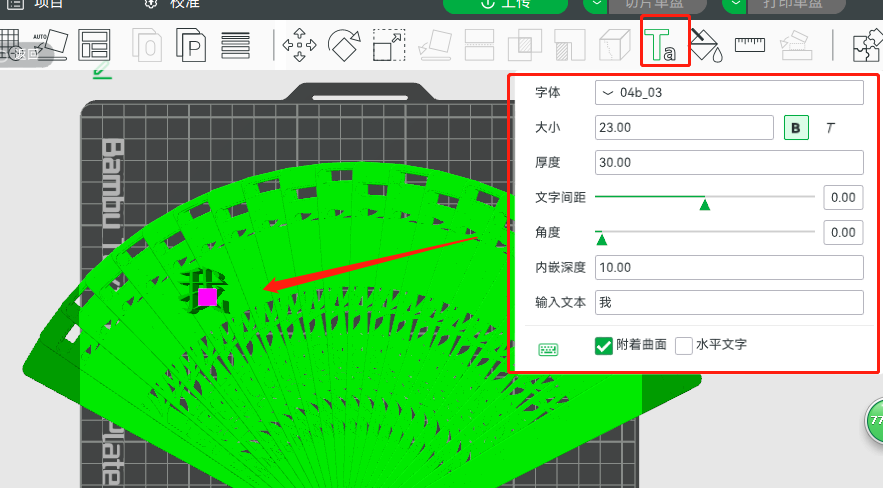
2. Enter the characters to be engraved (as it is a curved surface, each character needs to be engraved individually).
3. Perform a Boolean operation (difference) between the characters and the fan.
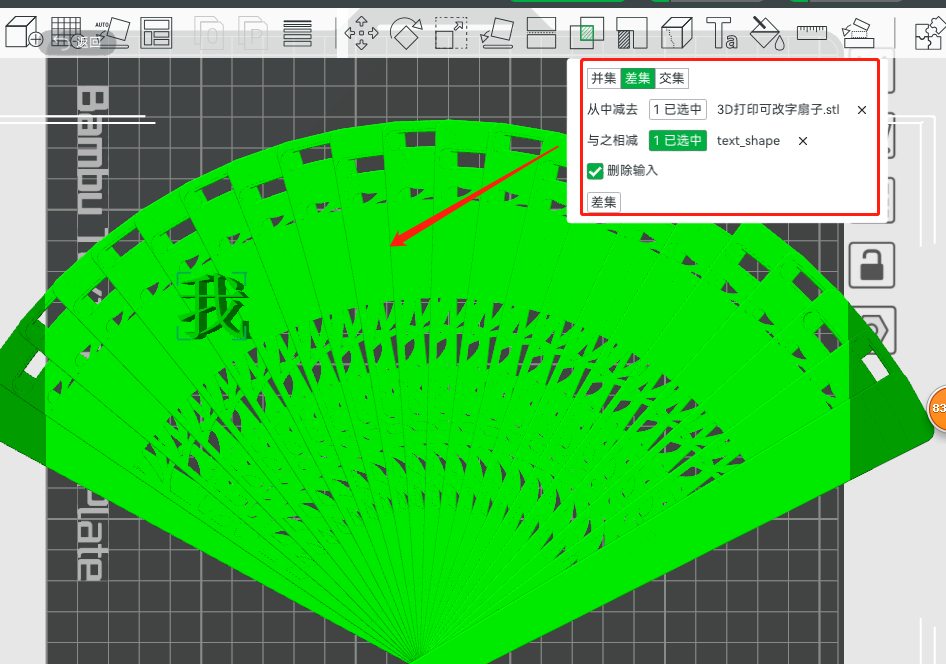
Effect:
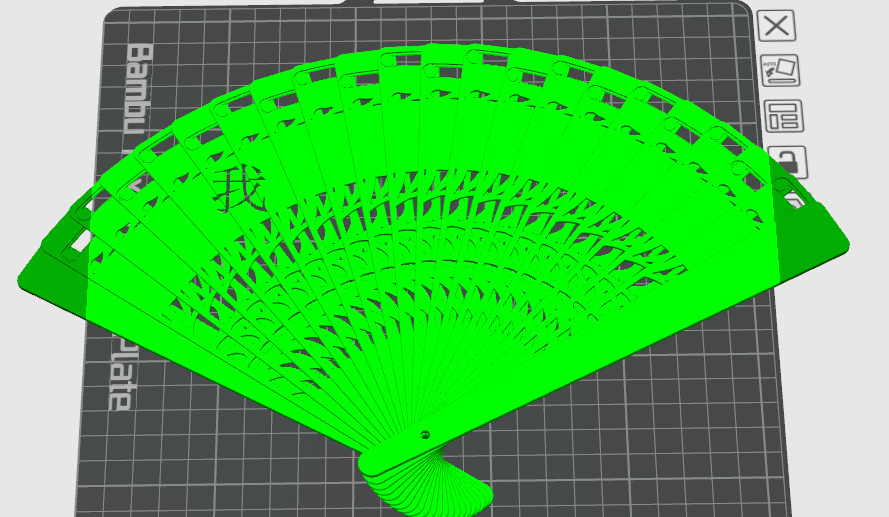
4. Repeat the same steps (steps 2 and 3) to engrave other characters.
5. Then separate the entire parts into objects.
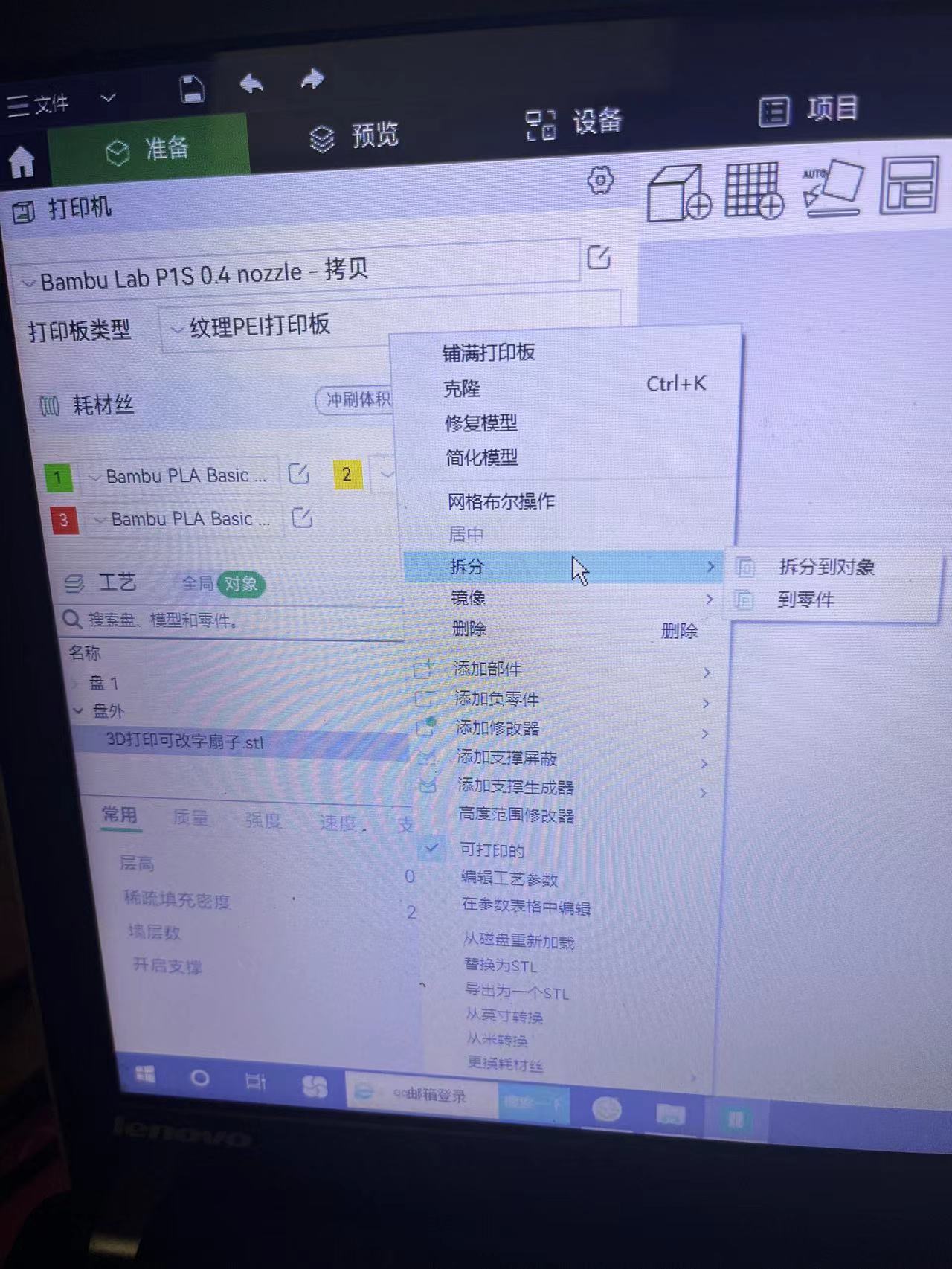
6. Stitch together the small pieces resulting from the Boolean operation on the fan.
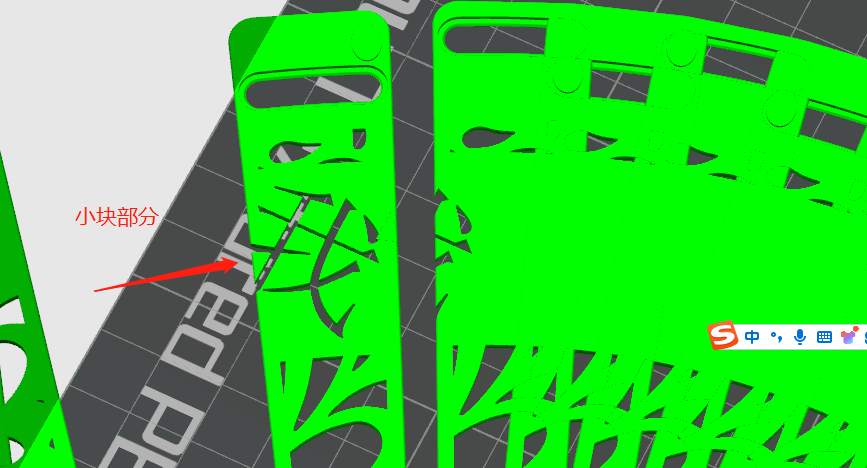
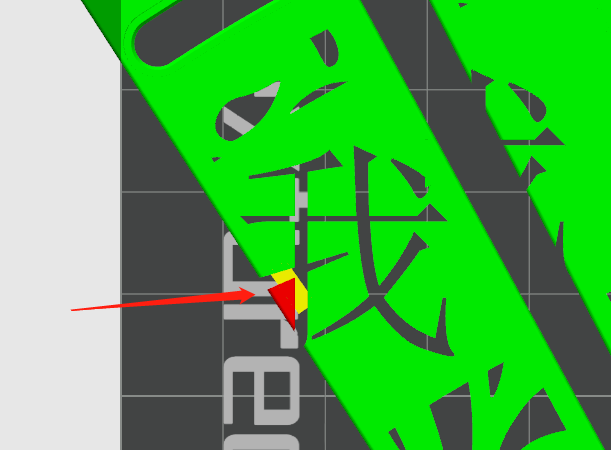
Create a yellow add-on block with dimensions of (5mm * 2mm * 0.8mm), then combine the red, yellow, and green parts, resulting in the following effect:
7. Modify other fonts in turn to complete the customization.
Summary of steps: Engrave > Boolean operation > Connect small fragments > Print
